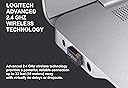
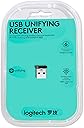
🔗 Unlock your workspace potential with one receiver to rule them all!
The Logitech USB Unifying Receiver 2-Pack offers a compact, reliable wireless connection solution that supports up to six compatible Logitech devices simultaneously. Designed for seamless plug-and-play setup via Logitech’s free software, it ensures lag-free performance within a 10-foot range. Ideal for professionals seeking to streamline their workspace with versatile, multi-device connectivity.
| ASIN | B07MVP819S |
| Are Batteries Included | No |
| Best Sellers Rank | #50,798 in Computers ( See Top 100 in Computers ) #1,438 in Computer Mice |
| Brand | Logitech |
| Customer Reviews | 4.4 4.4 out of 5 stars (1,743) |
| Date First Available | 18 January 2019 |
| Item Weight | 0.28 g |
| Manufacturer | Logitech |
| Operating System | windows_10 |
| Product Dimensions | 15.24 x 20.32 x 5.08 cm; 0.28 g |
A**L
I lost the original USB receiver for my Logitech mouse and was relieved to find this Unifying Receiver as a replacement. It works exactly as expected, and setting it up was quick and easy. Setup & Compatibility Pairing my Logitech mouse and keyboard was simple using the Logitech Unifying software, which is free to download from their website. Within minutes, my devices were reconnected and working perfectly. This receiver is compatible with multiple Logitech peripherals, so if you have more than one Unifying-compatible device, you can connect them all to a single receiver, which is super convenient. Performance The connection is rock solid—no lag, no dropouts. My mouse and keyboard respond instantly, just like they did with the original receiver. The range is also good; I’ve used it from about 10 feet away without any issues. Build Quality & Size Like the original, the receiver is very small—almost too small! It’s great because it doesn’t stick out much from the USB port, but that also means it’s easy to lose if you’re not careful. I recommend keeping it plugged in or storing it in a safe place when not in use. Things to Consider • Not compatible with Bluetooth devices – This only works with Logitech Unifying-compatible devices, not standard Bluetooth mice or keyboards. • Requires Logitech Unifying Software – It won’t auto-connect; you have to download and use the software to pair devices. Final Verdict If you’ve lost your original receiver or need a second one, this is a perfect replacement. It’s reliable, easy to set up, and supports multiple devices on one dongle. Just be careful not to misplace it!
A**A
buen producto, son originales y se pudieron emparejar con mis dos logitech ratones inalambricos.
R**.
Pleased with performance, price is very attractive. This was a repeat purchase.
B**O
Setup fácil para configurar ratón y teclado
B**O
Lo compre para poder utilizar el teclado y mouse de la misma marca, sin embargo no operaban. Al insertar el USB lo reconoció lo probe en windows 7 y windows 10 y hasta se veia que sumaba al mouse y teclado pero no jalaban.
ترست بايلوت
منذ أسبوعين
منذ شهر