

Buy anything from 5,000+ international stores. One checkout price. No surprise fees. Join 2M+ shoppers on Desertcart.
Desertcart purchases this item on your behalf and handles shipping, customs, and support to Israel.
⌨️ Light up your Mac setup with precision and style!
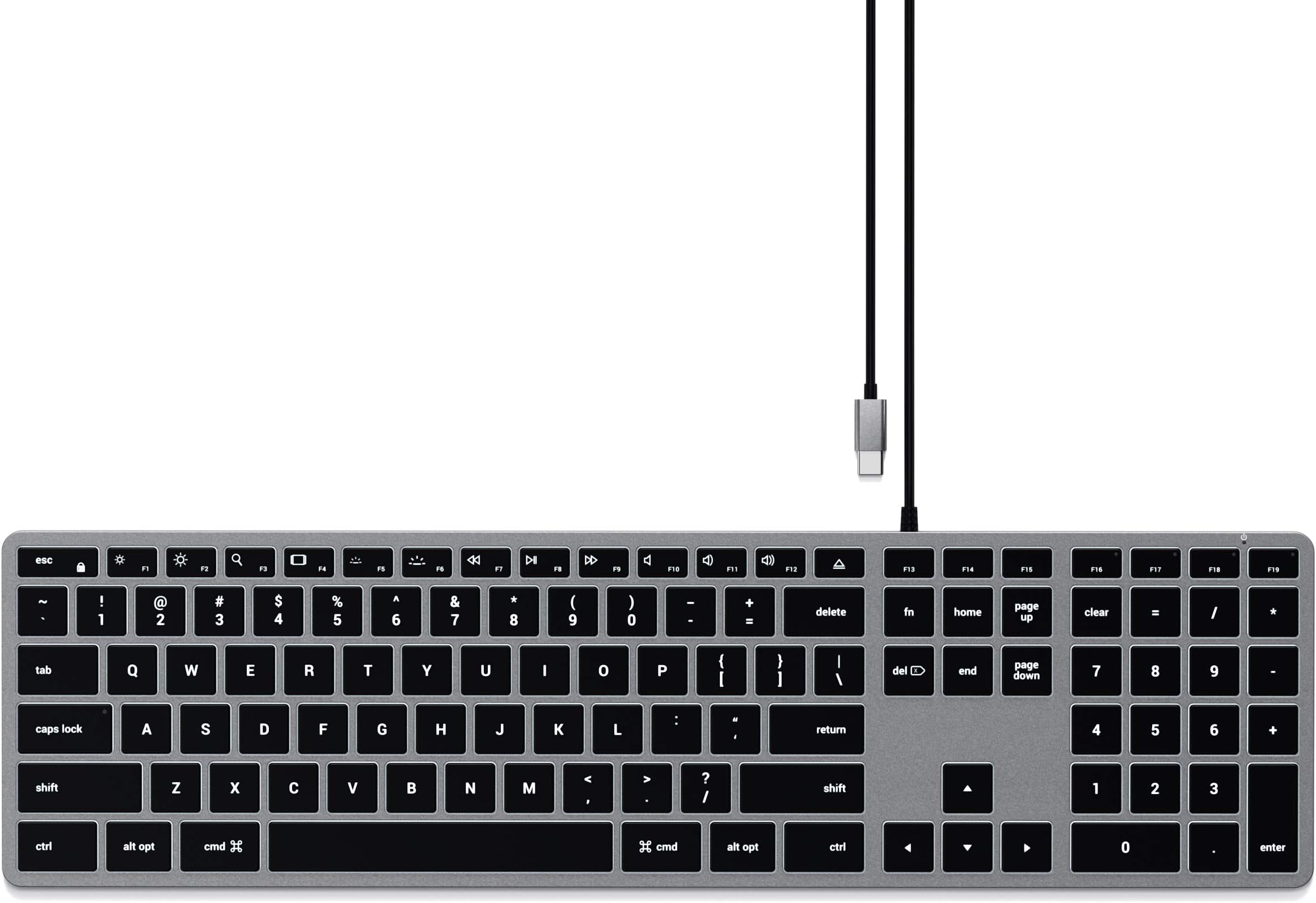
The Satechi Slim W3 Wired Backlit Keyboard is a Mac-optimized, USB-C wired keyboard featuring a full QWERTY layout with numeric keypad, three-level adjustable backlit keys, and a sleek aluminum finish. Designed for seamless plug-and-play use with MacBook, iMac, iPad, and more, it offers tactile, low-profile keys for comfortable typing and comes with a 2-year warranty.


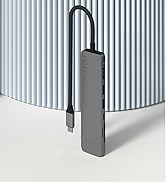




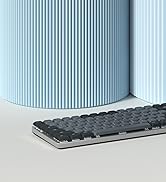

| ASIN | B08Q67XPFT |
| Additional Features | Backlit |
| Antenna Location | Office work, graphic design, low-light environments |
| Best Sellers Rank | #6,887 in Computers ( See Top 100 in Computers ) #165 in Computer Keyboards |
| Brand | SATECHI |
| Built-In Media | USB Cable |
| Button Quantity | 78 |
| Color | Space Grey |
| Compatible Amazon Tablet Models | Amazon Fire HD 10 11th Generation |
| Compatible Devices | MacBook Pro 14/16-inch (2025 M5/M4/M3/M2/M1), MacBook Air 13/15-inch (2025 M4/M3/M2/M1), iPad Pro 11/13-inch (2025 M5/M4/M2/M1), iPad Air 11/13-inch (2025 M3/M2/M1), iPad Mini (2024 A17/6th Gen), iPhone 17, iPhone Air, iPhone 17 Pro, iPhone 17 Pro Max, iPhone 16/15/14/13/12 Series, Mac Mini (2024 M4/M2/M1), iMac (2024 M4/M3/M1), Mac Studio (2025 M4/M3/M2/M1), ThinkPad, Surface, Google Pixelbook, G… |
| Compatible Operating System Family | iPadOS |
| Compatible Tablet Computer Models | Apple iPad mini 6 |
| Connectivity Technology | USB-C |
| Country of Origin | China |
| Customer Reviews | 4.2 4.2 out of 5 stars (555) |
| EU Spare Part Availability Duration | 2 Years |
| Enclosure Material | Aluminum |
| External Testing Certification | 16364859011 |
| Generation | 1st Generation |
| Global Trade Identification Number | 00879961009083 |
| Hand Orientation | Ambidextrous |
| Item Dimensions L x W x H | 42.3L x 11.4W x 1.1H centimeters |
| Item Type Name | Keyboards |
| Item Weight | 429 Grams |
| Keyboard Backlighting Color Support | Single Color |
| Keyboard Description | Numeric |
| Keyboard Layout | QWERTY |
| Keyboard Plate Material | Aluminum |
| Manufacturer | Satechi |
| Manufacturer Contact Information | [email protected] |
| Mechanical Keyboard Switch Model | Linear |
| Mfr Part Number | ST-UCSW3M |
| Model Name | Slim W3 |
| Model Number | ST-UCSW3M |
| Number of Keys | 104 |
| Number of Sections | 2 |
| Power Source | Corded Electric |
| Style Name | W3 |
| Switch Type | Tactile |
| Theme | Modern |
| UPC | 879961009083 |
| Unit Count | 1.0 Count |
| Warranty Description | 2-Year Manufacturer Warranty |
| Water Resistance Level | Not Water Resistant |
"**"
Great keyboard
This was great. I had previously used a generic keyboard for my monitor, which I use with my macbook, but the windows keys end up causing confusion. This one is also much easier and more pleasant to type on
D**I
Excellent!!!!
Shame I lost one button. Works great. Sturdy!!!!
M**A
Function keys are not on by default
It's a decent keyboard but the main problem is that the function keys are not on by default. So every time you have to switch manually otherwise you end up changing brightness instead of hitting F2
N**R
Perfect:)
Excellent product!!!! Perfect for studying
G**G
Excelente porém achei que era sem cabo kkkk
N**A
Dopo nove mesi di utilizzo quotidiano, posso finalmente dire di aver trovato la tastiera perfetta per me. Ho sempre cercato una tastiera che rispondesse a tre criteri fondamentali: compatibilità piena con macOS, layout internazionale (americano) e una sensazione di scrittura simile a quella di una tastiera meccanica, ma senza la necessità di manutenzione e senza rinunciare alla compattezza. Questa Slim W1 con cavo USB ha superato ogni mia aspettativa. Vengo da anni di utilizzo della Logitech K780 che ho sempre considerato un riferimento per comodità. Eppure, da quando ho iniziato a usare questa tastiera, la differenza è stata evidente. La corsa dei tasti è precisa, il feedback alla pressione è soddisfacente e il comfort di digitazione è tale da rendere difficile tornare a usare la tastiera del MacBook, anche solo per poco tempo a tal punto che quando viaggio me la porto con me pur di non rinunciarci. La costruzione è solida: se la si torce non si piega, non scricchiola e non emette suoni indesiderati, nemmeno sotto una pressione più decisa. Nonostante io abbia una digitazione poco ortodossa nell'uso della barra spaziatrice (uso per abitudine il solo pollice sinistro) dopo mesi di utilizzo quotidiano non si è minimamente deformata né ha dato segni di cedimento. La tastiera è bassa e molto stabile. Vengono comunque forniti due piedini di gomma aggiuntivi, alti circa un centimetro, per chi preferisce una maggiore inclinazione. Personalmente non li utilizzo, ma è una questione soggettiva. Penso che l'unico aspetto migliorabile sia la gestione della retroilluminazione: non sembra mantenere in memoria il livello di luminosità impostato che torna al massimo a ogni riavvio del sistema. Personalmente non lo trovo un difetto rilevante, anche perché la retroilluminazione è ben calibrata e non risulta mai fastidiosa, nemmeno in ambienti bui. Una cosa che ho particolarmente apprezzato è che le dimensioni della tastiera sono identiche a quelle della tastiera incorporata nel mio MacBook Pro da 14": questo la rende immediatamente familiare e perfetta per chi è abituato al formato compatto dei portatili Apple. La differenza si nota però nella qualità della scrittura: la corsa dei tasti è più profonda, simile a quella dei vecchi MacBook e conferisce una sensazione molto più appagante alla digitazione. Segnalo anche che, a differenza delle ultime tastiere Apple, i tasti freccia sinistra e destra sono a grandezza piena come gli altri tasti e non ridotti alla stessa altezza di quelli su e giù. Lo segnalo visto che per alcuni potrebbe essere un problema. Infine, un dettaglio marginale ma da segnalare: il tasto “Eject” in alto a destra, ormai inutilizzato sui nuovi MacBook, rimane lì senza reale funzione. Non è un problema, ma è bene saperlo. La lunghezza del cavo usb è di 150 cm ed è rivestito in plastica nera lucida semi rigida. In definitiva, questa tastiera rappresenta per me un equilibrio perfetto tra funzionalità, qualità costruttiva e comfort. Un acquisto che rifarei senza esitazione.
B**U
This is a very high quality, great keyboard. Having tried both the X3 and the W3, I would say this (the W3) is just slightly worse than the X3 (the bluetooth version) in a couple of ways, but is definitely better in one way. In terms of ways in which the W3 is (slightly) worse, firstly the W3 has only 3 brightness levels where the X3 has 10. (However, they 3 levels are still well chosen, and the darkest is not too bright.) Secondly (and slightly weirdly), on the W3 then £ and # symbols are printed the wrong way round on the 3 key. (Since this is basically a US layout keyboard, the # symbol should be printed at the top of the key, not to the side, corresponding to the symbol accessed when pressing shift, as is done on all the other numeric keys on this keyboard, and indeed as is done on the 3 key on the X3, which has the same layout!) Related to this, I (again, only slightly) prefer the X3's key labelling, where they just haven't bothering to include the ALT (€ and £) symbols on the 2 and 3 keys at all, I prefer this as it makes the keyboard look slightly neater and less cluttered. Nevertheless, if you're only going to use the keyboard wired, I'd still get this one, even though the X3 can be used in wired mode. In particular, and one key reason why the W3 is better, if you're the kind of person who regularly uses Del/F2/F12 to break into the BIOS menu, then definitely get this wired model, the W3, as *even when used wired* the X3 cannot consistently do this, and (not always, but often, half the time or more) causes the BIOS to report that there is no keyboard attached. To point out another (very minor) imperfection shared by the X3 and the W3, the lighting on these keyboards is just not quite as beautiful as the lighting on a real Mac laptop keyboard - specifically, there are small overly bright spots here and there around the keys, where the light shows through too much, rather then the really uniform lighting around the keys on real Mac laptop keyboards. Nevertheless in build quality, in looks, and even in the above-mentioned quality of the lighting, this and the X3 are _way_ better than any of the (several) other illuminated external keyboards for the Mac which I have tried recently. Finally, the X3 booklet documents this, but the W3 booklet does not: fn+ESC is the way to swap the default behaviour of the function keys, between multimedia key or function key behaviour. The same key combo works on both keyboards.
不**王
MacBookAirをクラムシェルモードで使用するために、3年半前に「Satechi アルミニウム USB-A 有線 キーボード テンキー付き(US配列, シルバー)」を購入。打感のみならず外観も大変気に入っていたが、突然、USB-Aケーブルとキーボード本体の接続部分が接触不良となり、今回こちらの製品を購入。使い勝手は変わらず、とても良い。しかしながら、USB-Cケーブルとキーボード本体の接続部分に同様の接触不良が生じないよう、取り扱いには注意が必要。この接続部分もUSB-C接続であれば文句なしです。
A**ー
iMacに繋いで使っています。 基本的にはMac用のキーボードだと思います。 まずテンキーがないのでApple純正よりコンパクトなのが有り難いです。 それと本体がアルミなので安っぽくありません。 他のコンパクトなキーボードも色々買ってみたのですが どれも本体がプラスティックで安っぽく、使う気になれませんでした。 このキーボードはその点、高級感があり愛着も湧きます。 私は付属の大きなゴム足と取り付けて角度を付けて使っています。 少し野暮ったくなりますが裏側を見ることはほとんどないので気になりません。 最近のAppleのデスクトップ用キーボードは薄さを追求しすぎて 平べったくて逆に使いにくくなっていると思います。 私の使い方ではバックライトを使うことはあまりないのですが 暗いところでは重宝すると思います。 USキーボード配列であるところもスッキリしていて好きなのですが JISキーボード配列に慣れている人には逆に使いにくいかも知れません。 入力機器は毎日かなりの時間使うものなので、やはり良いもの 気に入ったものを使いたいものです。予備として2台目も購入しました。
Trustpilot
2 months ago
3 weeks ago