
Buy anything from 5,000+ international stores. One checkout price. No surprise fees. Join 2M+ shoppers on Desertcart.
Desertcart purchases this item on your behalf and handles shipping, customs, and support to Israel.
Studio quality compressor / limiter Pedal Review: Amazing versatility - So let me start off by saying that I purchased this for use with a Roland TB-03 bass synthesizer and not a guitar, but I am completely blown away with the customizability of this pedal. I also love the fact that it accepts a line level input so that I can run my synthesizer directly into the pedal without adding distortion or losing any gain. I was looking for a multiband compressor to help situate the TB-03 in a live mix which, for various reasons too complicated to go into here, I can't run through the main mastering bus. A regular compressor would squash too much of the dynamics and I really just needed something to limit the resonant peaks when the filter is open and the flatten the really low bass when I remove the resonance completely. If you're familiar with the sound of a 303, you know it can vary wildly in volume as you sweep the filter and I found myself having to adjust the volume with one hand while I adjusted the filter with the other. Really inconvenient during a live performance. What's awesome about the Hypergravity is that I can use the software to perfectly dial in the type of compression I want and then customize the knobs to adjust it on the fly. It's basically like having a multiband compressor plugin from a DAW loaded into a pedal. I can individually control the threshold, ratio, attack, and release of every band for a completely tailored sound. This is exactly what I was looking for! I set the sustain knob to control just the high end threshold setting and kept all the other knobs at their factory settings and now I'm able to perfectly dial in the amount of high end reduction that I want to hear. By adjusting the blend, I can bring in more or less midrange and bass from the original signal and now I almost never need to adjust the volume of the 303 while I'm adjusting the filter. It's perfect for my dawless setup. While I'm not using this for a guitar, it seems like this would be a great pedal for people who really like to dial in custom settings. It took me maybe 10 minutes to learn the software and get comfortable with it. If you're not already familiar with using compression, I could see there being a bit of a learning curve here and maybe preferring something that just works out of the box, but if you're like me and have been using mastering compressors for years, it's very straightforward. I basically set all settings to zero/off and then began slowly bringing in the effect until I got it where I wanted. Turning off the autogain setting was absolutely necessary, as one commenter has noted. If you're at all concerned about the limitations of this pedal, don't be! It's extremely customizable and versatile if you're willing to put in the time. Review: Take a few minutes to set it right and it sounds fantastic - This is an excellent compressor, but it is not plug and play and requires getting acquainted with Toneprint. However it is not that hard to figure out. After a couple of days using it, here are some suggestions and responses to negative reviews. 1- the preset settings (vintage and spectra) sound good at first but are pretty awful after some play, mostly because of the massive amount of gain they come with. It is therefore well worth getting into Toneprint and creating your own 3-band compression profile. Just a few minutes of tweaking will yield satisfying results. 2- in Toneprint, start by turning off the “autogain” function, responsible for background hiss and also for the annoying latency response that many reviewers complain about. 3- also, make sure your dry signal is not turned off when “blend” is at zero (as it is in the default Toneprint setting), something which is counterproductive. Instead of no volume at zero level and zero blend, set the “level” to go from unity (same volume as your dry sound) to a good amount of gain without excess – mine is set to go from 10db at zero to 30db at full volume. This allows you to truly blend dry and compressed signals to your taste with the blend control, from fully dry to fully compressed. (not going crazy on the maximum gain will ensure that the Hypergravity does not throw off the settings on your other pedals, as some reviewers complain.) 4- now you can get into tweaking the 3 bands of compression if you wish, but just performing steps 2 and 3 will give you a gorgeous sounding compressor with plenty of gain and blend, sustain and attack. Compared to the Walrus Audio that has the same 4 controls, it sounds different but just as fantastic. 5- it took me a while to realize that you tweak the Toneprint settings by changing the curves on the graphics… neither the pedal nor the Toneprint manuals tell you that… Don’t forget to save your settings in Toneprint and also to your pedal. 6- the pedal did crash and reset itself a couple of times, as mentioned by another reviewer, when switching between compression profiles (spectra-toneprint-vintage). However it does not crash if you take the trouble to turn it off before going from one profile to the other and then turn it back on. Again, the suspect here seems to be the brutal “auto-gain”, which comes back on in "spectra" and "vintage". 7- as for its compatibility with other pedals, my experience is that it varies. Some overdrives/distorsions do not like it too much, some do and are enhanced by it. Position before or after matters. Also, I suspect proximity to fuzzes and buffers matters too. But isn't this true of numerous other pedals? In conclusion, avoid this pedal if you are allergic to app editing and want your settings achieved quickly using a couple of knobs. Get it if you don’t mind spending a few minutes on your laptop to carve a great compressed sound. Thanks to the Toneprint editor, this pedal has incredible flexibility, and when set properly, few compressors can rival. As for analog vs digital, well, between the Walrus and the TC, it is hard to decide which one sounds better. I love them both. Five stars but the Toneprint instructions should be a lot more helpful.


| ASIN | B01NB8RB2I |
| Amperage | 0.01 Milliamps |
| Audio Output Effects | Volume |
| Best Sellers Rank | #72,723 in Musical Instruments ( See Top 100 in Musical Instruments ) #77 in Electric Guitar Compression Effects #24,823 in Guitar & Bass Accessories |
| Brand | TC Electronic |
| Brand Name | TC Electronic |
| Color | pearl grey |
| Controls Type | Knob |
| Customer Reviews | 4.6 out of 5 stars 633 Reviews |
| Global Trade Identification Number | 04033653014915 |
| Hardware Interface | 1/4-inch Audio |
| Item Dimensions | 5.2 x 2.28 x 2.91 inches |
| Item Dimensions L x W x H | 5.2"L x 2.28"W x 2.91"H |
| Item Type Name | Classic Limiter Pedal with Endless Sustain |
| Item Weight | 0.45 Kilograms |
| Manufacturer | Music Tribe |
| Manufacturer Part Number | P0CB2 |
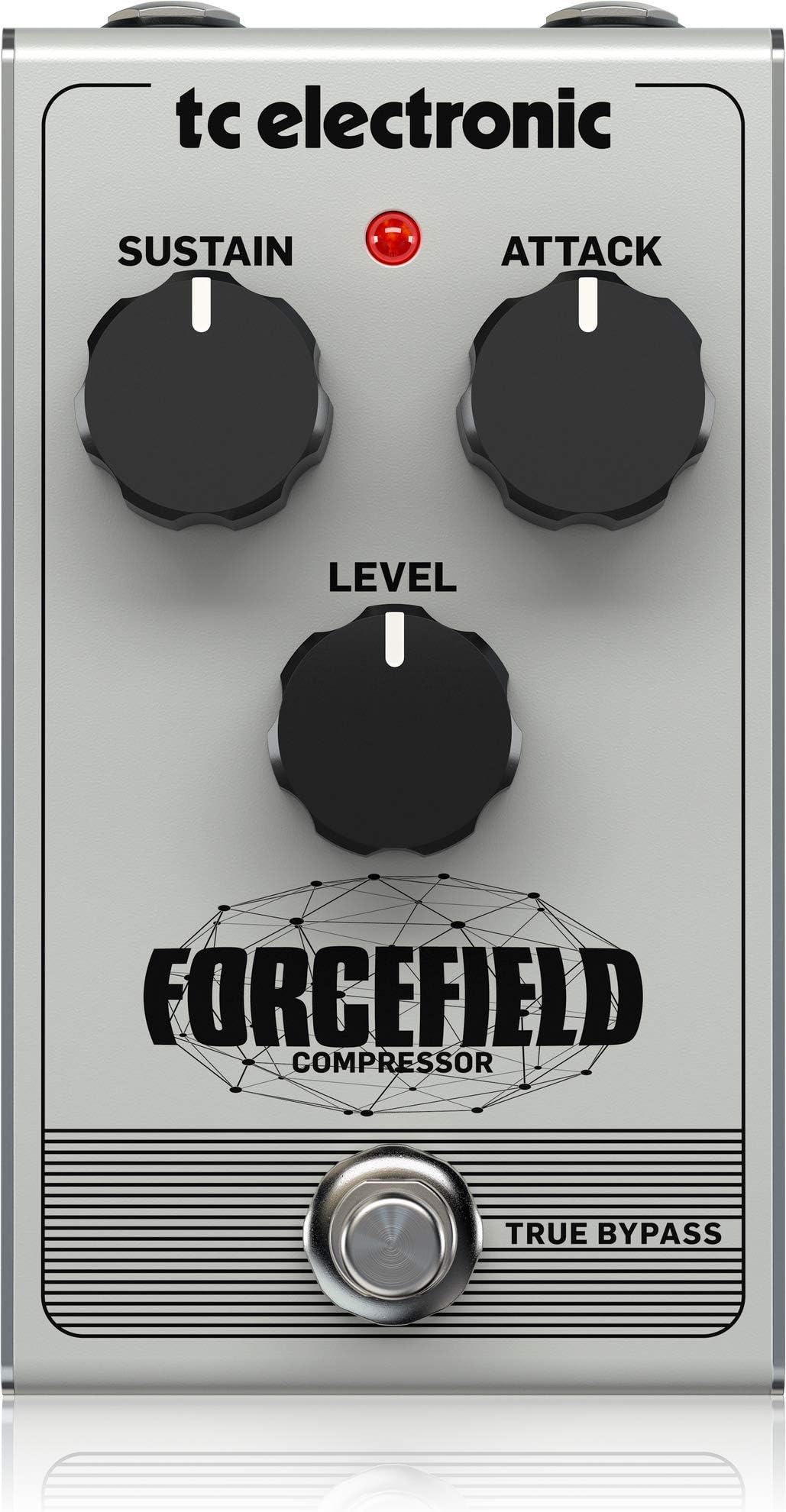
| Model Name | FORCEFIELD COMPRESSOR |
| Model Number | 000-CB200-00010 |
| Product Dimensions | 5.2"L x 2.28"W x 2.91"H |
| Signal Format | Analog |
| Style | Compressor |
| Unit Count | 1.0 Count |
| Voltage | 9 |
U**N
Amazing versatility
So let me start off by saying that I purchased this for use with a Roland TB-03 bass synthesizer and not a guitar, but I am completely blown away with the customizability of this pedal. I also love the fact that it accepts a line level input so that I can run my synthesizer directly into the pedal without adding distortion or losing any gain. I was looking for a multiband compressor to help situate the TB-03 in a live mix which, for various reasons too complicated to go into here, I can't run through the main mastering bus. A regular compressor would squash too much of the dynamics and I really just needed something to limit the resonant peaks when the filter is open and the flatten the really low bass when I remove the resonance completely. If you're familiar with the sound of a 303, you know it can vary wildly in volume as you sweep the filter and I found myself having to adjust the volume with one hand while I adjusted the filter with the other. Really inconvenient during a live performance. What's awesome about the Hypergravity is that I can use the software to perfectly dial in the type of compression I want and then customize the knobs to adjust it on the fly. It's basically like having a multiband compressor plugin from a DAW loaded into a pedal. I can individually control the threshold, ratio, attack, and release of every band for a completely tailored sound. This is exactly what I was looking for! I set the sustain knob to control just the high end threshold setting and kept all the other knobs at their factory settings and now I'm able to perfectly dial in the amount of high end reduction that I want to hear. By adjusting the blend, I can bring in more or less midrange and bass from the original signal and now I almost never need to adjust the volume of the 303 while I'm adjusting the filter. It's perfect for my dawless setup. While I'm not using this for a guitar, it seems like this would be a great pedal for people who really like to dial in custom settings. It took me maybe 10 minutes to learn the software and get comfortable with it. If you're not already familiar with using compression, I could see there being a bit of a learning curve here and maybe preferring something that just works out of the box, but if you're like me and have been using mastering compressors for years, it's very straightforward. I basically set all settings to zero/off and then began slowly bringing in the effect until I got it where I wanted. Turning off the autogain setting was absolutely necessary, as one commenter has noted. If you're at all concerned about the limitations of this pedal, don't be! It's extremely customizable and versatile if you're willing to put in the time.
B**4
Take a few minutes to set it right and it sounds fantastic
This is an excellent compressor, but it is not plug and play and requires getting acquainted with Toneprint. However it is not that hard to figure out. After a couple of days using it, here are some suggestions and responses to negative reviews. 1- the preset settings (vintage and spectra) sound good at first but are pretty awful after some play, mostly because of the massive amount of gain they come with. It is therefore well worth getting into Toneprint and creating your own 3-band compression profile. Just a few minutes of tweaking will yield satisfying results. 2- in Toneprint, start by turning off the “autogain” function, responsible for background hiss and also for the annoying latency response that many reviewers complain about. 3- also, make sure your dry signal is not turned off when “blend” is at zero (as it is in the default Toneprint setting), something which is counterproductive. Instead of no volume at zero level and zero blend, set the “level” to go from unity (same volume as your dry sound) to a good amount of gain without excess – mine is set to go from 10db at zero to 30db at full volume. This allows you to truly blend dry and compressed signals to your taste with the blend control, from fully dry to fully compressed. (not going crazy on the maximum gain will ensure that the Hypergravity does not throw off the settings on your other pedals, as some reviewers complain.) 4- now you can get into tweaking the 3 bands of compression if you wish, but just performing steps 2 and 3 will give you a gorgeous sounding compressor with plenty of gain and blend, sustain and attack. Compared to the Walrus Audio that has the same 4 controls, it sounds different but just as fantastic. 5- it took me a while to realize that you tweak the Toneprint settings by changing the curves on the graphics… neither the pedal nor the Toneprint manuals tell you that… Don’t forget to save your settings in Toneprint and also to your pedal. 6- the pedal did crash and reset itself a couple of times, as mentioned by another reviewer, when switching between compression profiles (spectra-toneprint-vintage). However it does not crash if you take the trouble to turn it off before going from one profile to the other and then turn it back on. Again, the suspect here seems to be the brutal “auto-gain”, which comes back on in "spectra" and "vintage". 7- as for its compatibility with other pedals, my experience is that it varies. Some overdrives/distorsions do not like it too much, some do and are enhanced by it. Position before or after matters. Also, I suspect proximity to fuzzes and buffers matters too. But isn't this true of numerous other pedals? In conclusion, avoid this pedal if you are allergic to app editing and want your settings achieved quickly using a couple of knobs. Get it if you don’t mind spending a few minutes on your laptop to carve a great compressed sound. Thanks to the Toneprint editor, this pedal has incredible flexibility, and when set properly, few compressors can rival. As for analog vs digital, well, between the Walrus and the TC, it is hard to decide which one sounds better. I love them both. Five stars but the Toneprint instructions should be a lot more helpful.
J**B
Awesome compressor - very flexible, sounds great!!
This comp rules. I love the flexibility, I love the different modes, it works great and sounds great. Love the blend knob, it's a quick easy way to dial in the amount of the effect when you're playing live. My only complaint is that the knobs turn relatively easily so my settings get messed up in the gig bag for my pedal board. I wish at least the volume knob had detents - that would be sweet..... In short, it's a winner. Don't hesitate.
T**1
Excellent quality
Simple but very effective. Built very well. I like how the input and output jacks are on top.
R**H
Makes your playing sound just a little bit better
It has three easy settings with the small silver toggle switch. I haven't really used much of the toneprint stuff. The changes to your sound are subtle, but make it sound good. The blend feature is nice, I haven't really tried any other compressors.
J**E
Great pedal!
Great pedal!
J**O
This thing it AWESOME
I've tried, The Empress pedal, Keeley, Electro harmonix, and this TC. In my opinion it's by far the one for me. Unbelievable, simplicity, and diversity. Check out the video on the SWEETWATER website. They go over it extensively. Also has a mini USB port for computer access.
D**H
The Key is the Editor, But still it just doesn't sound good when adding dirt.
ok, I've changed my review and updated it like 4 times but I think I can finally give the best opinion and the conclusion I've come up with about this Compressor... So here it goes... if you are a tone chaser, if you really want to get the absolute best tone out of your guitar this compressor might not be for you... This comp is for players that know how conpression works ... It is very, very different to traditional guitar compressors... this resembles more a studio rack unit or a multiband comoressor fromyour DAW, since most people now a days record on a DAW, weather Logic or Ableton Live... You really don't need this pedal... unless you want that subtle, clean comoression on your guitar setup... but the difference between this pedal and let's compare it to other good ones like the Wampler Ego, Xotoc SP and Walrus Deep Six... to my ears all of those pedals sound far superior... they don't only add the sustain and percussive attack (that's how I like it) but they sound like a good amp cranked up to just the sweet spot... it adds thickness and aomething that is hard to explain but I'll just call it mojo... the Hypergravity is an impressive pedal because 1) with tone prints and editor it really feels like you are working with different conpressors each time and you can make them sound soooo different that that alone is worth the price... it is definitely the most controllable of them all... you have controll over everything related to compression... so many things that I personally don't even know what they do but I have been able to come up with some great compression... in the sense that I can get many different styles lf compression... and you can customize the knobs, what they control and how much... you can mix the attack and sustain on one knob for example... it's pretty brilliant! But the reason I gave it 3 stars rather than a higher rating is because even though you can control every little detail on it... I don't think it sounds great in terms of tone... 3 band compression is more subtle and crisper than regular guitar compression ... and the vintage mode is excellent, it responds great ... it's like after having that amazing 3 band comp you get a nice ROSS compressor inncase you don't care much for the 3 band one as I do... the problem is again with the tone... it sounds waaaaay to dark and muddy that compared to for example the "stratocomp" toneprint which is bright, crisp and clean the vintage mode even though it has that Gilmour singing sustain and attack... it sounds really bad... I mean... my old MXR dynacomp sounds better... clearer... so the best option would be to try and emulate the vintage compressor with a toneprint and make it a little brighter... but anyways... I also own the Ego, the Walrus Deep and the Xotoc SP... all sound extremely good and way better than the digital sounding hypergravity... non of the other 3 have nearly as many tweakeable parameters as the TC... so it's definitely worth the try and there is a great chance you will love it... I'' just one of those tone obsessed players that have to have the right strings, pickups, cables, power supplies, etc... I really wish they would do some sort of firmware update were they inproved the tone of their vintage mode... to sound more like the modern ross based comoressors instead of actually recreating it vintage in everyway... including the dark tone... oh and another thing I noticed is that it makes my other pedals sound different in a bad way... I use my compressor at the beggining of the chain always... so when I engage a fuzz or overdrive it makes it sound too digital , almost like with digital artifacts in it... NOT COOL... all other analog compressors I've never had that problem... but with the hypergravity it definitaly makes my great pedals like lets say my "Muffroom Cloud" a pedal that is known for it's incredible tone . It's very smooth, creamy and stable... but if I have the hypergravity on, to add sustain and stuff... it makes it sound very metallic and unstable... like a cheap fuzz... again, that's not the case with my other comps... But at the end of the day, the key is in the Editor! Specially the make up gain and stuff like that... even if you don't know much about compression, you should play around with the editor... I'm sure you can come up with a good sounding mode.
D**E
Portento!
Parto volutamente dall’aspetto meno rilevante per un pedale: l’estetica. L’HyperGravity utilizza il classico chassis TC Electronic in metallo, compatto e molto solido. Il design è sobrio ma non anonimo: il disegno sulla scocca è carino, senza risultare eccessivo. È un pedale che comunica chiaramente di essere uno strumento moderno e professionale. Le manopole sono ben distanziate, leggibili anche su pedaliera affollata, e il footswitch è robusto. Non dà mai la sensazione di essere fragile o economico. Dal punto di vista di dimensioni e peso siamo nello standard dei pedali TC: compatto, facile da integrare in qualsiasi pedaliera, con un peso equilibrato che lo rende stabile sotto il piede senza appesantire il setup. È alimentabile solo tramite alimentatore esterno, scelta ormai comune e perfettamente coerente con il target del prodotto. Entrando nel cuore del pedale, l’HyperGravity è un compressore multibanda, ed è qui che si gioca la vera differenza rispetto a molti compressori tradizionali. La compressione multibanda lavora separatamente sulle diverse porzioni dello spettro di frequenze, evitando che le basse frequenze “tirino giù” tutto il segnale o che le alte vengano schiacciate in modo innaturale. Il risultato è una compressione estremamente controllata, trasparente e musicale, soprattutto con humbucker, accordi complessi o parti ritmiche dense. I controlli sono pochi, ma molto efficaci. Il Sustain regola la quantità di compressione. Al minimo l’effetto è quasi impercettibile: il segnale resta naturale, ma più ordinato. È perfetto come always-on. A valori medi il sustain aumenta sensibilmente, le note si allungano e il suono diventa più uniforme. Al massimo, la compressione è marcata e chiaramente udibile: utile solo in contesti specifici, perché le dinamiche vengono fortemente ridotte. Il Level gestisce il volume di uscita. Serve a compensare la compressione o a spingere leggermente l’amplificatore. A valori bassi attenua il segnale, a valori alti può funzionare come un leggero boost. È un controllo semplice, ma fondamentale per integrare il pedale nel rig. L'Attack controlla la velocità di intervento del compressore. Al minimo, l’attacco è rapidissimo e i transienti iniziali vengono subito controllati, con un suono più morbido. Al massimo, l’attacco è più lento: il colpo iniziale passa intatto e la compressione entra subito dopo, mantenendo punch e definizione. Questo controllo incide molto sul feeling sotto le dita. Il Blend è uno dei punti di forza assoluti del pedale. Permette di miscelare segnale compresso e segnale pulito. A zero si ascolta solo il dry, a metà si ottiene una compressione parallela molto musicale, a fondo corsa solo il segnale compresso. Questo rende l’HyperGravity estremamente flessibile e difficile da rendere inutilizzabile. Lo switch Vintage/Spectra cambia radicalmente il carattere del pedale. In modalità Vintage la compressione è più colorata, evidente e “classica”, ideale per funk, clean spinti e lead. In Spectra il comportamento è moderno, trasparente e controllato, perfetto per chi vuole livellare senza snaturare. Il vero cuore del pedale, però, è il TonePrint. Collegando il pedale a smartphone o computer si accede a un livello di controllo da vero strumento da studio: ratio, threshold, knee, makeup gain, compressione per singola banda di frequenza, risposta dinamica ed EQ interno. In pratica, l’HyperGravity può diventare qualsiasi compressore tu abbia in mente. I TonePrint pronti sono già eccellenti, ma l’editor trasforma il pedale in una piattaforma di sound design. È potentissimo, ma non perdona: se non si sa cosa si sta facendo, ci si può perdere. Per un musicista consapevole, invece, è una risorsa enorme. In conclusione, l’HyperGravity non è un semplice compressore: è uno strumento professionale di gestione della dinamica. Non è pensato per chi cerca la massima semplicità, ma per chi vuole controllo, trasparenza e flessibilità. Onestamente, quando penso ad un compressore, per me questo è la scelta più azzeccata.
A**.
Very Good
Thank you amazon! Best seller.
O**R
Compressor de calidad
No puedo estar más contento con este Compressor, pensé que por el precio no iba a ser gran cosa , pero fue llegar a casa y probarlo, relación calidad- precio un 10.
M**Y
Super bonne pedale
Pédale de très bonne qualité et rendu sonore excellent
M**S
良い
ベースに使っています。コンプも掛かるし、歪みも出せます。ツマミも3つなので、わかりやすいとおもいます。高価なコンプもありますが、わたしには十分です。
Trustpilot
1 month ago
4 days ago