Desertcart purchases this item on your behalf and handles shipping, customs, and support to Israel.
🚀 Upgrade your home network to gigabit speed—because buffering is so last decade!
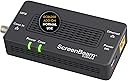
The ScreenBeam ECB6200S02 is a high-performance Bonded MoCA 2.0 network adapter that delivers up to 1Gbps Ethernet speeds over existing coaxial wiring. Designed as an add-on to your MoCA network, it supports up to 16 nodes, enabling seamless expansion for ultra-fast, low-latency connections ideal for 4K streaming, gaming, and demanding applications. With plug-and-play installation and compatibility with most routers featuring MoCA capability, it transforms your home’s coax infrastructure into a secure, reliable wired network that outpaces traditional Wi-Fi.


| ASIN | B013J7OBUU |
| Best Sellers Rank | #26 in Powerline Network Adapters |
| Brand | ScreenBeam |
| Built-In Media | ECB6200 Single |
| Color | Black |
| Compatible Devices | MoCA/Ethernet/Wireless Extenders/coax |
| Customer Reviews | 4.2 out of 5 stars 908 Reviews |
| Data Link Protocol | Ethernet |
| Data Transfer Rate | 2.5 gigabits_per_second |
| External Testing Certification | FCC, UL, MoCA |
| Global Trade Identification Number | 00789286808929 |
| Hardware Interface | Ethernet |
| Item Dimensions L x W x H | 4.5"L x 2.2"W x 1.1"H |
| Item Highlight | Ethernet Over Coax Network Adapter for High Speed Internet - MoCA Single Add-On for Existing MoCA Network - Normal Use |
| Item Type Name | MoCA networking |
| Item Weight | 4.8 ounces |
| Manufacturer | ScreenBeam |
| Mfr Part Number | ECB6200S02 |
| Model Number | ECB6200S02 |
| Number of Items | 1 |
| Number of Packs | 1 |
| Product Dimensions | 4.5"L x 2.2"W x 1.1"H |
| UPC | 789286808929 |
| Unit Count | 1 Count |
| Warranty Description | HARDWARE: ScreenBeam Inc. warrants to the end user (“Customer”) that this hardware product will be free from defects in workmanship and materials, under normal use and service, for the period defined in the product user guide, quick start guide, or retail package, from the date of purchase from ScreenBeam's or its authorized reseller. ScreenBeam’s sole obligation under this express warranty shall … |
J**K
Awesome way to get wired network speed and reliability
These really work well to create wired network speed and reliability utilizing existing physical plant. Our two-story house was built in the mid-nineties. I'm assuming many 1970's to 1990's, multi-story houses are in a similar situation; so I will describe in detail below. As in many houses from that era it has lots of cable jacks (like 1-2 in almost every room). Most are on RG-59 wiring and a few newer ones are on RG-6 wiring. Since the house is two story, getting WIFI to propagate through multiple walls, ceilings, and floors is difficult. We are also at the top of a hill and pick up lots of interference from our neighbors' WIFI routers. Plus the total number of WIFI clients these days limits throughput making WIFI okay for low-bandwidth applications (like smart home devices) but poor for streaming devices. Also, running new wires is basically impossible in rooms that have rooms above them as the plenum is too narrow to crawl (about 6" tall). The mid-90's phone network is pre-Ethernet and as such is a hub network on cheap phone wire not a star network on Cat3 or Cat5 like many newer homes. Basically this meant we had three choices: 1.) use wireless only, 2.) find a way to use existing wiring, 3.) cut open walls to run Cat7. Option 1: WIFI works for low-bandwidth devices, but with so many devices these days (easily about 50 for a smart home) the throughput is very limited. We decided to keep WIFI for portable devices and low bandwidth requirement devices, but go with something else for our streaming devices. Option2: Using the existing wiring to create an Ethernet seems like the best option. I decided to make this happen one way or another. The house had lots of coax and quite a few phone jacks too. I researched options. Phone is limited to VDSL adapters. The problem with these are they are just point to point. So you get one connection and that is it. I wanted to connect all my major streaming point (office computer, game room TV, living room TV, and bedroom TV). So VDSL was a no go. I discovered both MOCA and DECA. DECA is much cheaper, but won't interoperatre with cable. We use a cable modem, which would have meant a lot of work at the cable box to separate all the ports in the house except the cable modem. This would have required running at least one more line up to my attic as the cable modem line was shared with my office line. Also MOCA 2.0 supports about 9 times higher bandwidth than DECA. I decided these two things made MOCA worth a few hundred extra dollar, especially since this is a one-time investment. Option3: Cutting open walls is messy and expensive. I really don't want to do that. Updating my coax network: 1.) I went to the box and installed a MOCA POE filter at the input from the cable company. Don't forget this, or you maybe sending your LAN to your neighbors' houses. You can buy this on Amazon. 2.) I went to the box and also all lines I could reach in the attic and replaced all splitters with new ones rated for up to 2.4 gHz. A two way splitter comes with each Moca adapter (or set of adapters). I used one of these. Likely you need a larger one at the box. I bought a 4 way Moca compatible splitter from BAMF here on Amazon. Don't "daisy-chain" the splitters. Buy the appropriate size. You will get better bandwidth. Also don't skip this step. In doing this I replaced two splitters that were rated to 1 gHz. The Moca 2.0 channels are at 1.0-1.2 gHz. This would certainly have lowered my bandwidth, if I had not done this. The install: I installed five Moca adapters as follows: 1.) One is attached to my router - "coax in" line previously attached to the cable modem input, "tv out" out to cable modem input, Ethernet port to my router's Ethernet switch 2-4.) "coax in" attached to the cable jack by my TV's, "tv out" is terminated with an f-terminator, Ethernet is connected to a 5 port TP-Link Gigabit switch connecting my Fire TV and Smart-TV or Smart DVD player. 5.) Connects my office desktop computer the same ways as 2-4. After bringing my coax network up to date (described above). I just plugged these adapters in and it worked. No configuration needed. After installing my Internet speed tests with a laptop hooked to the switches maxes out at our ISP's limits. A network speed test using a 512mb file copy using LAN SpeedTest Lite shows the following 500-600 Mbs downstream 300-400 Mbs upstream I think the difference in downstream and upstream speeds is due to greater isolation on the output side of the splitters. After the install I was finally able to Steam stream games from my office computer to my FireTV in my Game Room.
D**J
Got cable jacks in your house? Then get this device asap!
I've lived in a lot of different homes over the years. For the new construction homes, during the planning phase I always ask the electrician to pull ethernet wires to all the rooms, and usually they will do it. But in my latest home, I inherited a bizarre mix of ethernet + cable coax in some rooms, and just cable coax in others. Wouldn't you know it, my primary PC is located near a coax-only jack, so for a while I thought I would just have to live with wi-fi, which is okay for most applications, but the stability of a wired gigabit connection can't be beat. I have always heard about MOCA, but when I moved into this house, the Xfinity rep told me that my rented Xfinity modem (a XB-7) can do MOCA, so I was intrigued. If you have a modem/gateway that already has Moca capability, you won't need to buy the "starter kit." All you need is a single Moca adapter (for each cable coax location). Here is how I did it, for a modem/gateway that has Moca capability: 1. Log in to your router using a web browser. Mine is 10.0.0.1. Once logged in, hunt around in settings for a while until you find the Moca setting, and then enable it. Like I said, I have the XB-7 gateway, which is a common modem/gateway that Xfinity installs in homes, condos, apartments, etc. 2. I restart my modem/gateway after enabling it for good measure. 3. Plug one end of this device into the wall's cable coax, and then with the provided ethernet cable, plug one end into your PC or ethernet-enabled device, and the other end into this adapter. Then plug in the adapter's power brick. 4. Give it a few seconds and the gigabit lights will flash. Now check the PC, and you should be connected to your Xfinity modem at 1Gb speed. Done. One other thing, you will want to put a Moca filter at the point of entry (PoE) where your coax cable enters your home. If you don't, then devices on your network can be seen by your neighbors. Luckily, the Xfinity tech who set up my home put one on my home before I moved in at the junction box on the outside of my house, but it's a pretty cheap part to buy (no more than $10), and super easy to install yourself in case you don't have one installed already. Just search amazon for "moca filter" and add it to your order. If your modem/gateway does NOT have Moca capability, then you will need to buy TWO of these, and put one at the router/gateway, and the other in the room where you want the wired connection to be. This thing is a life saver, and it's cleaner and cheaper than pulling out your existing coax cables for ethernet.
C**S
Still beats wireless. Although speed increase unrealized.
I've been using these MoCA adapters for years now. Always much more reliable than wireless (IMO), even with ac pretty prevalent now. I didn't even realize there was a 2.0 or "bonded," but I had one die on me and it had to be replaced. I got this actiontec and plugged it in and, boom, all network dependent services restored. I decided to replace another with this 2.0/Bonded. So that makes all 3 at 2.0, but only 2 at bonded. I went outside, got my locked cable box open and put in a MoCA filter at the "root." All of this and I don't see much (if any) speed improvement. I get 21 MB/sec to my non bonded 2.0 - which is upstairs to upstairs. I only get 1.5 MB/sec to my bonded 2.0 - which is upstairs to downstairs. I suspect it has something to do with my network setup (1 network (no vLANS) with 3 MoCA, 3 switches, 2 routers (on the same network - basically being used as a switch), IP cameras clogging stuff up all over the place, HD homerun, Plex server, ESXi server with domain controller, 2 NAS). Even though I don't see a speed increase.. I'm able to send HD tv through my home run prime from my input downstairs (at 1.5-2.0-ish MB/sec) to the rest of the house without issue. I wouldn't trust wireless with that. These are great products and a very nice alternative for those of us who aren't wired with cat 5/6 in every room. I bet with some tweaking I'll be able to get this up to 20 MB/sec or so (still well below 1 GB - which I would put at 100ish real world).
A**N
Easy, simple, fast, wired internet for homes with cable (coax) internet and coax wiring
Plug & Play with my MOCA enabled Xfinity router. Works flawlessly, easy setup with no config required, and delivers 500Mbps wired internet speeds (max internet speed I have) with minimal latency or network connection drops.
A**R
Use this MoCa adapter to dump the Verizon FIOS router for you own!
I installed this MoCa adapter to eliminate my Verizon FIOS router (to use my own device) and it worked like a charm. It easily and seamlessly bridged the coax network, for the FIOS One DVR, and Ethernet network in my house perfectly keeping full functionality for the set top boxes. Remote DVR functionality still works fine as does remote programming from the Verizon APP. I cannot comment on the on-screen caller ID feature as I do not use it. —-read below if you are looking to do the same otherwise the adapter works as expected—- My recommendation to use your own device is as follows. 1) Power down all of your cable TV boxes which are using a coax connection and leave them off for now. 2) Login into your Verizon FIOS router and look for the WAN interface setting to “release” the DHCP address in the router. Once you release the address quickly power off the Verizon router and disconnect it from both Ethernet and coax connections coming from the ONT. 3) Next connect your own router to the FIOS ONT (using the same Ethernet cable originally connected to the FIOS router) and power up the replacement device. Once it boots up log into your new router and ensure it “pulled” an IP address from Verizon’s ONT. Connect a computer/laptop and ensure internet is working as expected! If not you may need to call Verizon to release the MAC address on the ONT. They’ll know what you’re talking about, hopefully… it is Verizon. If not hang up and call back hoping you get another tech who does understand. 4) Next, connect the MoCa adapter to the coax cable originally connected to your Verizon router, and a new Ethernet cable which will need to be connected to your switch/router/whatever device your using. 5) Power up the MoCA adapter and wait a minute or so to ensure it is “connected to the network”. 6) Now power up your DVR first, and wait for your live TV service to appear on your TV. At this point the DVR should be “talking” to your new router and pulled an IP address through the MoCa adapter. 7) finally power up the rest of your cable TV boxes and verify remote DVR functionality, etc with your DVR. One item to point out is the coax LED on the MoCa adapter will not illuminate while powered up, only when it creates the “MoCa connection” with your DVR. …so if you don’t see it light up right away it is normal. Once your DVR is up and running then go back and check the MoCa adapter and you should see the COAX LED lit. Success!! Or not? Google “using FIOS 1G service with own router” and follow the rabbit hole, tons of useful forums to help troubleshoot. Good luck!
A**I
This didn’t work for me
For some reason this didn’t work for me
J**Y
Plug-and-play for FiOS MoCA LAN
The Actiontec MoCA Ethernet to Coax Adapter (ECB6200) was up and running in less than 5 minutes! Just as expected. Clean, compact design. [See photos.] The unit has 4 LEDs: Power, Coax, ethernet connection status and activity. The unit stays cool to the touch. The external power supply [photo] outputs 5V DC at 2A. Power consumption measured 2.6W using Belkin Conserve Insight (F7C005). In use 24/7 since June 7. As some reviewers indicated, this is a plug-and-play solution for using existing coax cabling -- in my case idle coax drops in rooms which formerly had FiOS TV connections. That is, extending Ethernet connections to other rooms over the MoCA LAN of the existing (coax connected) FiOS router. This LAN is "behind" the ONT (Optical Network Terminal), which is mounted on the wall outside and connected by coax to a splitter under the house. The Adapter does not operate on the MoCA WAN (Internet) -- that remains the job of the FiOS MoCA compliant 1.1 router (Actiontec MI424WR Rev. I). My TP-Link client bridges had been reliable and easy to setup. They provided a Wi-Fi bridge to ethernet-only (e.g., PoE devices) in those other rooms. But Wi-Fi performance always varied more than a wired connection. Actiontec's online User Manual and product page helped clarify some specifications. Power, Coax, and Ethernet LEDs: - Power LED: glows solid green when Adapter is powered up. - Coax LED: glows solid green with connection on the Coax port. - Ethernet LEDs (2): located on upper right and left corners of the Ethernet port; left LED glows green on connection; right LED blinks amber when data is transferred across port. IP LAN MoCA (v. 2.0; up to 1.4 Gbps throughput) LAN Ethernet Port 10/100/1000 (1) LAN Connections Coax In Frequency Range - Extended D-band: 1125MHz ~ 1675MHz; Full Port Range: 5MHz ~ 2150MHz TV/STB Out Frequency Range - 5MHz ~ 1002MHz And so compatibility with my Actiontec MI424WR Rev. I router (specs): Multiple networking standards support, including: - WAN - Ethernet and MoCA interfaces - LAN - 802.11b/g/n, Ethernet, and MoCA interfaces MoCA - Two channels (WAN, LAN): - WAN MoCA frequency: 975 MHz - 1025 MHz (single channel) - LAN MoCA frequency: 1125 MHz - 1425 MHz (6 channel)
E**D
MOCA is great but terrible coax design of this adapter. Buy the ECB6000 instead.
The MOCA technology works great and I highly recommend getting a MOCA adapter if you have FIOS and want high speed internet at your TV area. However, I'd strongly recommend not buy this ECB6200 and rather get the ECB6000 if you have FIOS. Apparently the coax output from the splitter in the ECB6200 only goes to 1 GHz which is NOT adequate for a FIOS STB. It passes the TV channels but does not allow the STB to connect to data services (TV guide, VOD, DVR, etc). I had to go out and buy an external coax splitter to put in from of this adapter, and now the coax output from this goes unused and theoretically degrades my signal strength to the MOCA adapter because of the now useless internal splitter. This didn't affect me yet but who knows if I add more drops in the future Really really terrible engineering to have the coax output only support up to 1 GHz. I didn't bother to check this spec before I bought because I figured only a moron engineer would have designed it that way. Any $5 coax splitter supports up to 2 GHz which is required for FIOS STB.
M**.
Wow so easy and better than wifi.
Wow, I am so impressed with how quick and easy this was. So I was doing so much research into these as the wifi has a lot of interference here which sometimes makes streaming choppy. I bought these and it is so simple, you just put a 2 way (***moca compatible**) splitter on your coax before your router, run one coax to your router, the other to this adapter and an Ethernet from your router to the adapter and that's it for this end. Now the other side you just go to any coax outlet, run a coax to your adapter and then pplug in your device's ethernet right into that and.... that's it! I plugged it in and had my tech had on all ready to configure something and play around and nope.. it just worked the second I plugged it in. Honestly I am thinking this is a better set up than using wifi, especially for old people, no passwords or fussing around just plug and forget about it. I attached a picture of the speed boost I got from switching, it doubled my download speed to what it actually should be! So things they don't tell you is you'll want: a POE moca filter at your coax coming in to keep the moca network in and other people's out, an extra coax to run to your router (as the old one is now going to the splitter and one included goes to the adapter) and lastly the 3 way splitter but make sure it is one that works with moca as your standard ones don't work with those frequencies I guess. Hope this helps someone!
M**R
Einwandfrei
Funktioniert direkt, keine Konfiguration von Nöten. Durchsatz 650Mbit über 3 Etagen. Verbesserungswürdig. 1. APP für ggfs die Firmware upzudaten 2. Netzteil dabei (US) aber nicht jedes externes 5V Netzteil (2A) wird akzeptiert (Power Leuchte blinkt in diesem Fall)
A**R
A stunning result.
In my house, the UHF TV signal is distributed throughout the house by a 12 way distribution amplifier fed from a log periodic aerial in the loft. There is a restrictive covenant covering all houses on the estate that prohibits any aerials other than satellite dishes and these must be fitted below the roof line. My house is in a dip and out of sight of the transmitting aerial some 15 miles away. The signal can be intermittent and prone to distortion especially in certain weather conditions. To provide a good signal to the two main reception rooms I used an existing SkyQ satellite dish to receive Freesat satellite signals. This meant that the two coax cables from the distribution amplifier in these rooms are not needed. However, a consistent high speed network feed for streaming is essential. This led to a decision to unplug these coax cables from the distribution amplifier in the loft and connect them together so that there is a continuous coax cable between the lesser reception room which houses the FTTP (Fibre to the premise) broadband feed and the main reception room. They are 15m apart. Initially, I purchased the ScreenBeam starter pack of MoCA Network Adapters (ECB6250) and they were an immediate success. Installation is very simple and quick. I had the link working in ten minutes. I was so pleased with the setup that I then purchased an additional single adapter to connect the Office computers to the net. I replaced the coax cable connector in the loft with one of the splitters included with the kits and then connected the Office cable to the splitter. I was delighted with the results. The average of a series of Ookla broadband speed tests using the computer in the office returned a download speed of 941 Mbps and an upload speed of 110 Mbps. If you are interested in using these MoCA adapters I would suggest using F Type cable connectors throughout. In my setup, the coax cables to the distribution amp were already F Type and I replaced the face plates in the Reception rooms and Office with F type faceplates. Also you will need to purchase USA to GB plug adapters as the kits come from the USA. That said, service from the company via Amazon was outstanding and the units were delivered within days and update information was timely and informative.
N**O
Cannot understand why this is not being used more in the UK
As mentioned in title I cannot understand why this is not a product sold in the UK, except to let internet providers make money on us. I tried power line adaptor in the past but I had three issues with them (tried few brands) lost bandwidth, phone stay connected to other room until it loose signal and get new one. And doesn't work well with smart home devices as they ended up not seen depending on what adapter they are one. This adaptor is plugged in straight to my modem in my office, go in the attic via the existing coax cable made for the TV, and is then distributed back to the bedroom and living room on the ground floor opposite side of the office. A new adaptor on the other end of the coax, and the ethernet goes to a ethernet splitter. TV PS4 mesh router, Chromecast dongle, smart home gateway.. everything is plugged in as if it was on the office router. No loss of bandwidth. The only reason this product is not advertised in the UK is for providers to force more expensive services or cheap power line adaptor.
M**R
Plug and Play
Plug and Play at its best... Abgesehen davon, dass das Netzteil mit US Stecker kommt (entspr. Adapter für DE Steckdose wird benötigt) ist es wirklich mit Einstecken getan. Sofort Verbindung aufgebaut, Surfgeschwindigkeit subjektiv deutlich besser als mit WLAN). Und das Gerät ist auch kompatibel zu den bei mir vorhandenen MoCA 2.0 Adaptern von Kiwee, die ich leider nirgends mehr bekomme. Lediglich der Preis scheint etwas übertrieben; aber immerhin habe ich jetzt eine stabile Internetverteilung, die bei mir deutlich zuverlässiger ist als Powerline (da hatte ich ständig Abbrüche).
Trustpilot
1 month ago
1 month ago