
قم بتنزيل التطبيق


معلومات عنا
حقوق الطبع والنشر © 2024 Desertcart Holdings Limited
قم بتنزيل التطبيق


🕸️ Gryphon Guardian: The WiFi fortress your smart home deserves
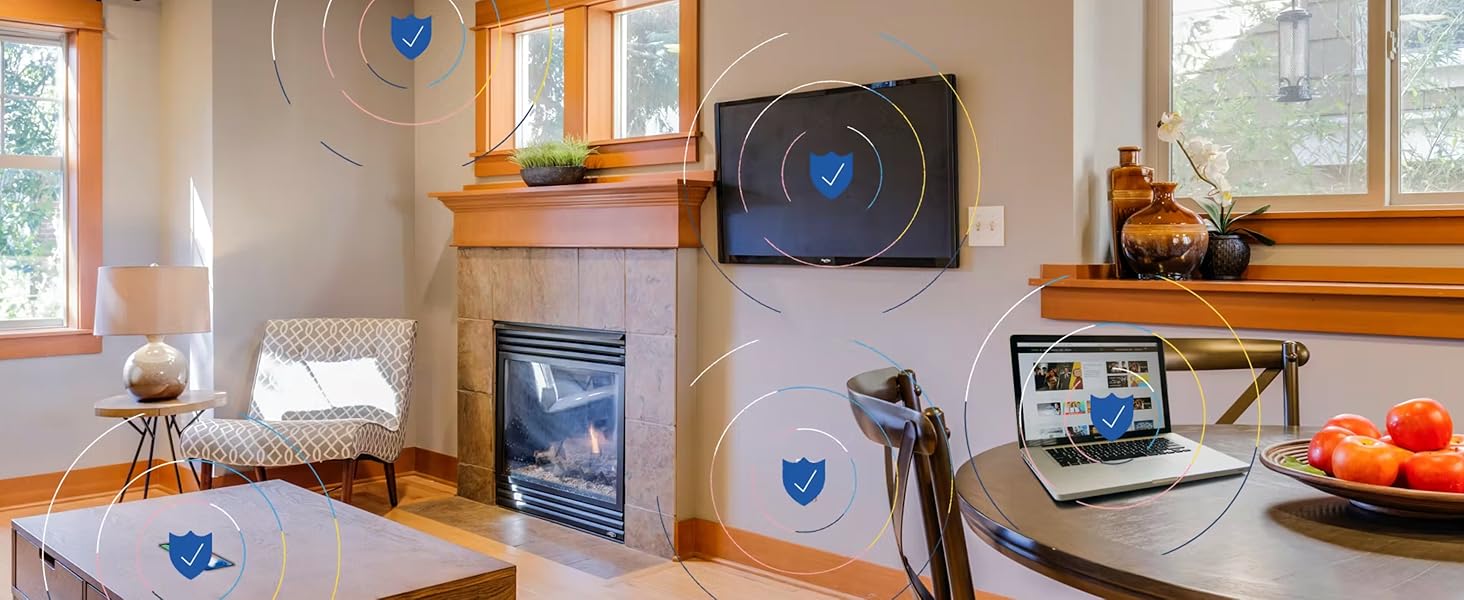
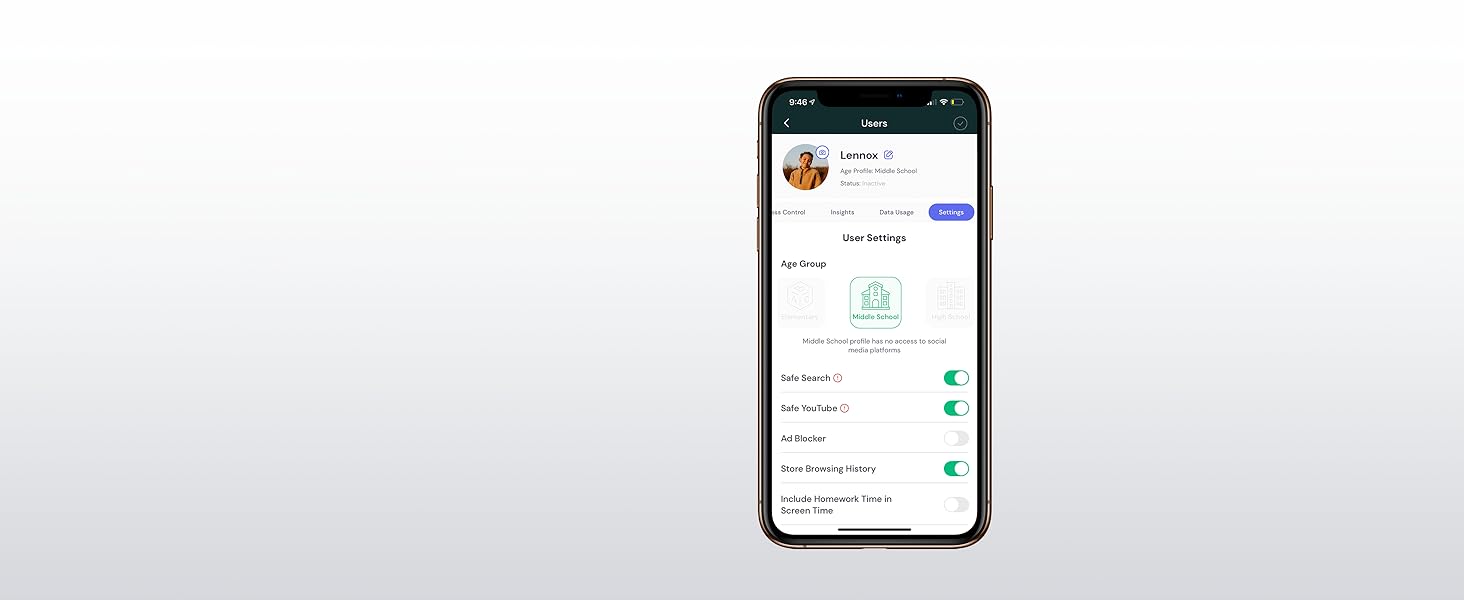
The Gryphon Guardian Mesh WiFi Router combines robust AC1200 dual-band mesh technology with advanced parental controls and next-generation cybersecurity. Designed for homes up to 1,500 sq.ft. per unit, it delivers reliable, high-speed internet with intelligent bandwidth management. Its user-friendly app centralizes device control, content filtering, and network security, making it ideal for busy families seeking seamless connectivity and peace of mind.









| ASIN | B082YGNKJH |
| Best Sellers Rank | #19,978 in Electronics ( See Top 100 in Electronics ) #102 in Whole Home & Mesh Wi-Fi Systems #143 in Computer Routers |
| Customer Reviews | 3.9 3.9 out of 5 stars (4,369) |
| Date First Available | December 20, 2019 |
| Is Discontinued By Manufacturer | No |
| Item Weight | 14.4 ounces |
| Item model number | GRYG1-UK |
| Manufacturer | Gryphon Online Safety, Inc. |
| Product Dimensions | 4 x 4 x 1 inches |
J**E
What I've learned...
So I've got teenagers. The teenagers drove me to this router. Prior to I had a Linksys with no complaints, followed by a Netgear Nighthawk, which was an outstanding peice of hardware, and the Netgear certainly had some parental controls, but it was a little clunky. As a level set I'm more than willing to fiddle with any electronic to get it to work. I have loads of patience and am the IT support for the house. In truth I like it that way and nerding out with the router is not a chore to me. So I buy the Gryphon and am pretty happy with the router. This also coincided with moving to a new home. Said new home is good sized and has 2 floors. The house is roughly 4300 Sq ft. My office ends up being right next to the router and I really did not have any performance complaints. My family though... Ugh. Complaints galore, and I had written some of it off as a new internet provider when we moved. As I said I continue to fiddle and change things hoping to get a better experience for all. What was frustrating is that the router seemed to put out the signal I needed at the edges of the house and while the speeds were not as fast as next to the router they were acceptable when not being heavily taxed. I finally came to the conclusion that I should add a mesh repeater as the system worked especially up where I did most of my work, but the complaints did not subside so my work was not done. I added one repeater which was quite easy. There wasnt a lot of fussing just scan a qr code on the bottom of the repeater in the app and you're off and running. After I added one it was a bit better....but Still getting complaints. So what's a guy gonna do? I decide to just go deeper down the rabbit hole. Adding a second and... Still complaints... Then eventually a third as I had grown tired of the complaining. I also came to the conclusion after speed checking every corner of the house and swapping around positions of the routers for several days in my spare time. Let me offer this peice of info also.... Sony PS4s have TERRIBLE WIFI ANTENNAS. I could not figure out why I couldn't get their machines to pull the speeds I could when testing on my phone.... Standing right next to the dang thing and I'm getting 200mbps more download speed. After some research I figured out that the PS4 unless sitting almost on top of the router is going to struggle to pull reasonable speeds. Do yourself a favor and just run an ethernet cable if you're in that position, or reserve yourself that you're going to have to add repeaters close to the PS4. That's free advice and it took me a long time to figure that one out. So besides all that I finally came to the conclusion is that this setup does not have great wifi signal out of the box, and you have supplement with the mesh system to unlock true performance. So after all my fussing what kind of speed am I getting? Cloat to the main unit I can pull 500mbps down and 450mbps up. Those aren't typos either. The hardware is legit after it's weak antennas are overcome. In the far corners of the house and yard I can pull roughly 100 mbps down and 125 mbps up. That compares to what it was before of 20ish mbps down and 30 mbps up. It's made a big difference. Lots of whining has gone away and now everyone can do anything they want and not worry about everyone else. Everyone can Zoom at the same time, while playing video games, streaming 4k videos, and uploading selfies to social media. So all that withstanding, what about the real reason I bought it? The parental controls are slick and simple! Want the kids to do their homework? Great just kill all the wifi to only their devices all at the push of a button. Want the wifi shutoff at midnight so they don't watch TV all night? Cool. Just set it up that way for that child. Kids going to "questionable" sites. No problem BLOCKED at the push of a button. When I was having complaints about the internet I had rounded up anything extra I could think of that would suck up bandwidth (Wyze Cams, Amazon Echoes, smart switches, light bulbs etc) nd assigned them all to a group in the app as a user. So when complaints started I could add bandwidth quickly with the push of a button by just suspending internet to those items. Assign static IPs with ease. We have a printer that loves to not marry up with the computers. Set that bad boy as static and never worry about it again. Assign whatever name you like to devices. In my house we have close to 100 wifi items to be assigned. Being able to identify by name (and it makes sense to me) is a God send. I was able to catch one of the kids in a lie because someone came over and hooked into our wifi and you can set it to ask permission to join. Mine is not set that way, but when all your devices are hooked up and suddenly a new one shows up... It's pretty obvious. Want 2.4ghz and 5ghz as a choice? Sure no problem. Want to not have to think about it and let the routers do the work. No problem you can do that too. The system really provides a lot of flexibility and performance once I finally got it all dialed in. It did end up being more expensive than what I could have done with a different setup, but I would not have had such a slick interface to deal with the kids. I am now very happy. The kids have been unhappy since it came in the front door....and I don't care! Lol. I hope you can make your teens unhappy soon too.
R**S
Update after 1.5 YEARS of Gryphon ownership
We finally decided to purchase 2 Gryphons after exhausting search for a suitable solution for our home. We struggled to get WiFi throughout our 2 story home (barn style, but not an open floor). Our home was built in 1975. It was built with solid beams and walls/lumber. It is 3,000 sq. feet (1/2 downstairs and 1/2 upstairs). For years now we struggled to update/upgrade our routers to deliver our ISP's (Comcast) 150 MB/S throughout the home (and hopefully outside coverage as well). All the major brands have been tested (we have serious stack of "old" routers) and none of them could deliver what these Gryphons have accomplished so far! This is NOT a technical review, but a review from someone who understands how technology operates. What we were seeking in our next router (in the order of importance to us): 1. Customer support 2. Reasonable pricing 3. Excellent functionality 4. Decent firewall/malware protection/detection 5. Parental controls 6. Usable app without crashes/glitches 7. Intelligent bandwidth allocation between units using internet and base/repeater when moving around the house. We are able to stream movies in our home theater (Amazon Video and Netflix), while all the smart devices are connected (Nest thermostat, water/intrusion sensors, Blink video cameras (5 with base station)), utilize smart phones and personal/work laptops all at once! No drops, no latency!!! We purchased these Gryphons (2 of them) and upon receiving from Amazon, we tried to follow the directions on firmware updates for the units. The first unit updated FAST. The second one - we struggled to update it and clicked on a "button" in the app to have the support call us. Less than 5 minutes later - a call came through from California. The engineer walked us through all the steps. Would NOT get off the phone until everything was accomplished. Connecting via wire, adding repeater, updating firmware, etc... They spent about 45 minutes to complete the process. Even though it seems the action item was completed, they still shipped us another unit with firmware already updated. Upon receipt of the unit, we replaced it with Technical Support being on a phone with us. Who does that, we thought?.. Placement of the units. Due to our home being somewhat unique - we tried to place one router at one side of our second floor (where Comcast cable outlet is) and another unit downstairs in opposite corner of the house. The signal between the routers was not strong enough (confirmed while speaking to Tech Support). So, we moved the second unit back to upstairs floor, but in opposite corner of the house (and the base station). That in itself produced fast and reliable connection between the base station (gryphon #1) and repeater (gryphon #2). Now, our first floor and second floor receives FAST, RELIABLE internet connection. Including OUTSIDE of our home! We tested Skype outside of our home and it was receiving a signal about 100' away from the house. We were streaming our video feed to our family showing off our garden :) Downstairs floor - consistent 175 MB/S! That is from one corner of the house to the next! Absolutely 100% coverage. Additional important details to consider: 1. The unit(s) come with 1 year support for AI-based protection of the network including malware detection/prevention. As well as 1-year warranty. However, we had an additional option to consider to extend our "firewall" option as well as warranty by another 3 years. We added both! 2. Solid app with ability to ping tech/customer support and the call back in prompt (according to your preferences indicated on how and when you would like to be contacted). Our first attempt to contact the support was on the day of installation of the units. We indicated "now" and the phone number. The call came in less than 5 minutes with someone who was not distracted by other "cases" and was fully dedicated to resolve our issues!!! 3. Gryphon's quality of build is obvious! The packaging, stations, documentation - all at A+ rating! 4. Not sure how, but these Gryphons are able to provide 175 MB/S on our "150 MB/S plan" via Comcast. Tested and retested - consistent 175 MB/S... Very pleased that these units "juice out" all the speed they can get out of our ISP. 5. What we appreciate the most - when requesting an actual support - you deal with REAL people who actually CARE!!! 6. Parental controls are super easy to use - per device that logs into the network - settings per your preference including certain sites blocking with one click. We look forward to trouble-free experience with Gryphons in our home for years to come! The quality of the product and support warrants us to say safely - we are in good hands with Gryphon! At par (if not better) than Eero (Amazon)! If someone is looking for similar set-up to ours (very unique building with heavy lumber and thick walls) - two units should work perfectly to provide the adequate coverage. HIGHLY RECOMMEND!!! A+
N**M
I bought this router four months ago for better parental controls and have been very happy with it. One router is enough to cover my 1600-foot bungalow up to the end of my driveway and backyard, no problem. Parental controls are much easier to customize than on my old D-Link. Also, recently my internet slowed down after a power outage. After determining that the problem was with the Gryphon, I got on the chat with them on their website and they solved my problem with a firmware update within 15 minutes. Great customer service!
P**V
Purchased this router about a month ago. The router was easy to connect and easy to use. I added the same password as my old wi-fi and all devices just connected to it seamlessly. I only had to identify them and assign to users. The app works great. The filtering of google search and youtube search also works very well. This is exactly what I needed to manage internet connection for the kids. Highly recommend to everyone. The strength of the connection is overall better than my previous router and the wifi modem. Although I expected a slightly better connection, I guess my thick walls and non-central location of the router affect it. I guess it all depends on your setup. A central location would give better coverage, but it is impossible in my case. I may have to buy the second unit eventually, but for now, I connected my old D-link wi-fi extender to get the full coverage of the remote corners of the house (about 150sqm). Overall - I do recommend this unit to others. It is easy to use and it does what it supposed to do - protect your kids and your house online while allowing you to stay in charge of the family.
R**M
It is easy to use and does as advertised
G**G
Wrong power supply for Australia. Set up help is too simplified - doesn't explain clearly the best set up to piggy back on your existing Wifi router - I had to deduce that from some hints. Associated App could be improved But actually does the Parental Control well.
S**D
Excellent router for parenting control. However the, plug provided did not work in the UAE and had to be returned
ترست بايلوت
منذ يوم واحد
منذ 5 أيام