
قم بتنزيل التطبيق


معلومات عنا
حقوق الطبع والنشر © 2024 Desertcart Holdings Limited
قم بتنزيل التطبيق
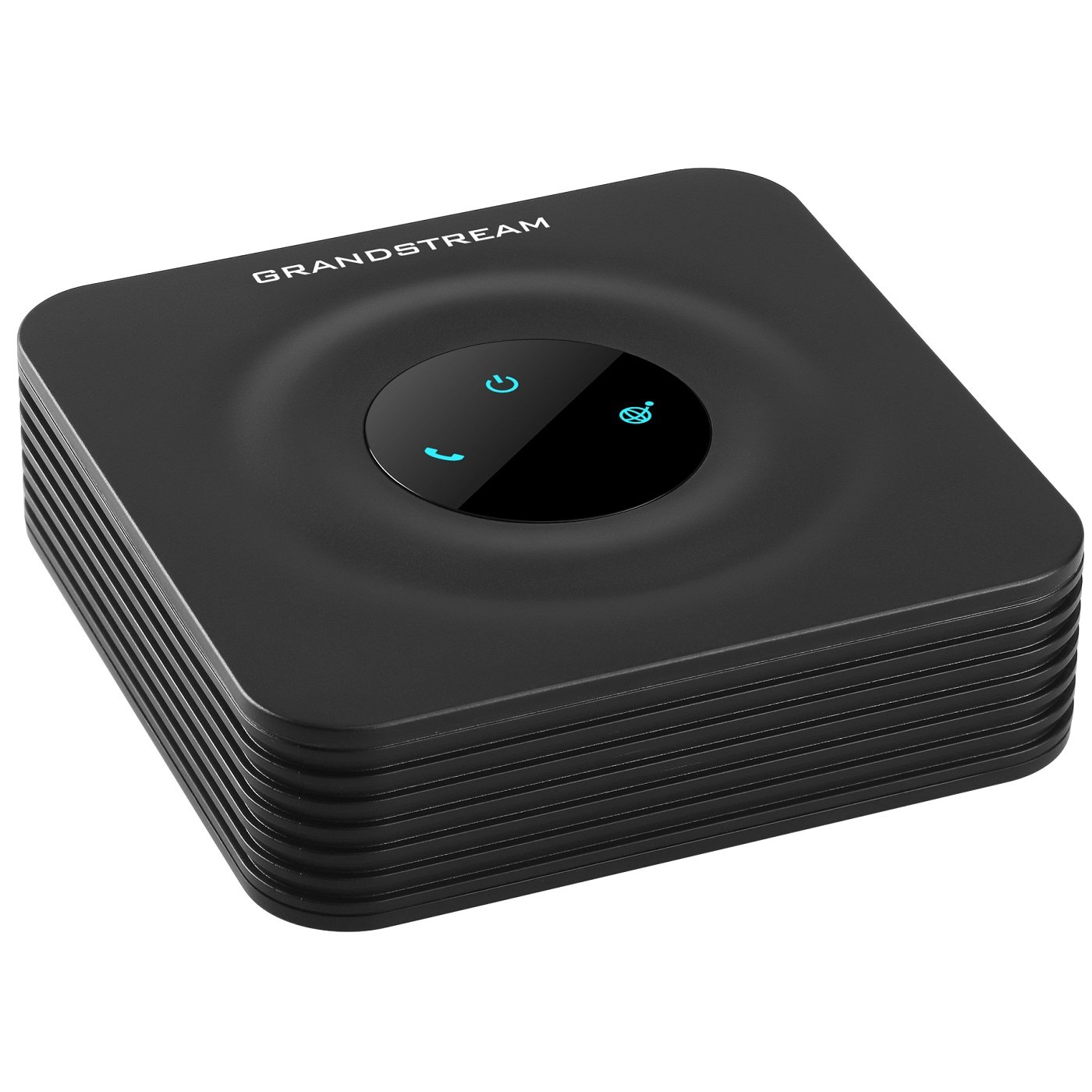
📞 Stay connected, secure, and ahead of the curve with HT801!
The Grandstream HT801 is a compact, single-port analog telephone adapter designed for professional-grade VoIP connectivity. Featuring one FXS port and a 10/100Mbps Ethernet port, it supports one SIP profile with advanced telephony functions like call transfer and 3-way conferencing. Enhanced with TLS and SRTP encryption, it guarantees secure calls, while automated provisioning and failover SIP server capabilities ensure reliable, seamless communication for modern business environments.
| ASIN | B06XW1BQHC |
| Are Batteries Included | No |
| Batteries | 1 CR123A batteries required. |
| Best Sellers Rank | #221,134 in Electronics ( See Top 100 in Electronics ) #1 in VoIP Telephone Adapters |
| Brand | Grandstream |
| Colour | BLACK |
| Country of Origin | China |
| Customer Reviews | 4.3 4.3 out of 5 stars (1,054) |
| Date First Available | 9 May 2017 |
| Imported By | Pure Life office system |
| Item Weight | 200 g |
| Item model number | HT801 |
| Lithium Battery Energy Content | 2.6 Watt Hours |
| Lithium Battery Weight | 5 Grams |
| Manufacturer | GRANDSTREAM INC |
| Number of Lithium Ion Cells | 4 |
| Power Source | Adapter |
| Standing screen display size | 5 Inches |
| Voltage | 5 Volts |
| Wireless Carrier | Unlocked |
S**K
Value for your money
Very nice product and solved my IP phone problems. At beginning I use to use software phone in my system and it will get hanged after every call. Now I am use the VoIP phone through HT801 seamlessly. Thanks
C**N
Nice product.
Superb product. Configured it for BSNL Wings service for landline.
M**J
Works perfectly converted digital line to analog for FAX connectivity. But it works for analog phone lines too.
T**S
The Grandstream HandyTone HT801 is a solid and dependable little device. Setup was quick and straightforward, and it worked flawlessly with my VoIP service right out of the box. The build quality feels good, and it’s small enough to fit neatly beside my router without taking up space. Audio quality is excellent — clear and consistent with no dropouts or echo. Configuration options are flexible for those who like to fine-tune settings, but it’s also simple enough for a basic plug-and-play setup. Overall, a great product that does exactly what it should. Perfect for bringing an analogue phone into a modern VoIP setup.
A**A
اذا تلفونك قديم او لاسلكي وتريد استخدامه كتلفون شبكة(ip phone, voip)، هذا هو الحل
J**Y
Tired of paying 70 dollars a month for mostly people I don’t want to talk to to try to scam me, sell me some service I don’t need, etc, I looked at options. Keeping the number I’ve had for 30 years, and having a single number that mom and a few others could call and talk to whoever is home is nice. Giving this number to most businesses means that telemarketing calls don’t come to my cell phone. This was the same device used by a 3rd party provider called freephoneline.ca. I decided to try to purchase the device and pay a one time fee to connect with them vs pay a VERY small monthly fee. Everything is working great. Calls are reliable. Device works fine, and by unhooking the telco access at my inside junction, and connecting this to one jack, all of my existing jacks work. The device is great, but I would not recommend this (or any other similar device) unless you have a good support with your provider (I didn’t - but they had an online user forum and this was the device they use) or you are technically strong (30 years in IT). Many people would be better off getting the device with support, through their provider. Setup is easy, but there are 2 or 3 dozen settings many of which need to match your provider, or else you could have no calls, dropped calls, audio but no voice, or other strange things. I was able to get the correct settings online and had it set up and working in about 15 minutes. It has been working great for a couple of months now and I’m glad I did this.
C**N
Hace su trabajo perfectamente una vez configurado. Es un poco entretenido para configurarlo correctamente. Yo lo logré después de ver un vídeo de naseros.com. Desde aquí, Muchas gracias a Naseros por sus vídeos para configurar distintos Routers y auxiliares de telefonía.
ترست بايلوت
منذ أسبوعين
منذ 3 أيام