Buy anything from 5,000+ international stores. One checkout price. No surprise fees. Join 2M+ shoppers on Desertcart.
Desertcart purchases this item on your behalf and handles shipping, customs, and support to Israel.
🌞 Wire-free, worry-free security that’s always watching your back.
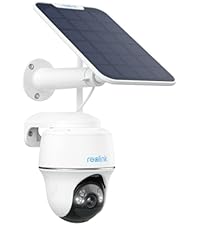
The REOLINK Argus PT + Solar Panel is a cutting-edge wireless outdoor security camera featuring 5MP 2K+ resolution with color night vision, 355° pan and 140° tilt for full coverage, and dual-band WiFi connectivity. Powered entirely by solar energy, it offers true wire-free installation with a high-capacity battery. Smart PIR motion detection with human/vehicle differentiation delivers instant alerts, while flexible local storage options eliminate subscription fees. Weatherproof and easy to set up, it integrates seamlessly with smart home hubs and Alexa for a modern, reliable home security solution.


| ASIN | B07W6PXRR8 |
| Alert Type | Motion Only |
| Antenna Location | Outdoor Security |
| Are Batteries Required | Yes |
| Best Sellers Rank | #24 in Dome Surveillance Cameras |
| Brand | REOLINK |
| Built-In Media | Camera, Solar Panel, Bracket |
| Color | (1) White |
| Compatible Devices | Desktop |
| Connectivity Protocol | Wi-Fi |
| Connectivity Technology | Wireless |
| Control Method | App |
| Controller Type | SmartThings |
| Customer Reviews | 4.2 out of 5 stars 9,515 Reviews |
| Effective Still Resolution | 5 MP |
| Effective Video Resolution | 5 |
| Field Of View | 110 Degrees |
| Flash Memory Supported Size Maximum | 512 GB |
| Flash Memory Type | Micro SD |
| Focus Type | Auto Focus |
| Form Factor | Dome |
| Frame Rate | 15 frames per second |
| Indoor Outdoor Usage | Outdoor |
| Indoor/Outdoor Usage | Outdoor |
| Installation Type | Screw In |
| Item Dimensions | 8.53 x 6.25 x 7.78 inches |
| Item Weight | 1.65 Pounds |
| Light Source | Infrared |
| Manufacturer | Reolink Digital |
| Model Name | Argus PT |
| Model Number | REOLINK Argus PT+SP |
| Mount Type | Wall Mount |
| Night Vision | Night Color |
| Night Vision Range | 33 Feet |
| Number of Channels | 1 |
| Number of Items | 1 |
| Other Special Features of the Product | Time-Lapse |
| Photo Sensor Resolution | 5 MP |
| Photo Sensor Technology | CMOS |
| Power Source | Solar Powered |
| Recommended Uses For Product | Outdoor Security |
| Room Type | Garage, Office, Store Room |
| Shape | Dome |
| Special Feature | Time-Lapse |
| Specific Uses For Product | 360 Degree Coverage |
| Unit Count | 1.0 Count |
| Video Capture Format | MP4 |
| Video Capture Resolution | 1440p |
| Video Encoding | H.265 |
| Viewing Angle | 360 Degrees |
| Voltage | 5 Volts (DC) |
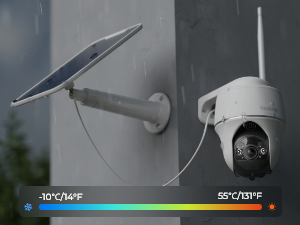
| Water Resistance Level | Water Repellent |
| Waterproof Rating | IP65 |
| Wattage | 5 watts |
| Wireless Technology | Wi-Fi |
| Zoom Ratio | 10 |
| Zoom Type | Digital Zoom |
G**T
UPDATE The best camera we've bought so far and we have several different brands !
UPDATE: I had recently got a new router, a Netgear Nighthawk and was having a problem getting the Reolink cameras connected back again but after much research......SUCCESS! I found a solution that worked for me, hopefully this info might help others too. After researching even more online I found a suggestion to try creating a guest wifi network on your router. So I gave it a try and it WORKED to get my 3 Reolink Argus PT cameras connected to me new router. Now while I feel like it wasn't necessary in my case to give the guest wifi network a password without any special characters I did it anyhow and used just numbers and letters (the cameras had connected to my old router with a special character in that password) Another point to remember is I think you need to have your phone on the same network when adding the cameras. Just checked and it seems you need to make sure your phone is connected to the guest network when wanting to access the Reolink cameras you connected thru the guest network. (now I have other brand cameras that I connect to the main network that I can still access when on the guest network but an indoor Reolink camera I have E1 that I was able to connect to the main network I can't access thru the guest network like the other brands. Now I did try seeing if I could switch the cameras back to the main wifi but it didn't work and I have to remove and reinstall the camera I tried it on and add it again to the guest wifi network to access it again. Well, I guess having to switch networks when wanting to go from the outside Reolinks to the inside Reolink is better than buying a new router or new cameras and I am simply thankful I could get them to finally reconnect as I was beginning to think I'd have to replace them with other brands of cameras. Original review: This is Karen's husband writing this review as I am the "tech guy" in our home. I am VERY pleased with how the camera is performing so far, so the 4.2 out of 5 rating seems well deserved. I admit I had some reservations when I read some of the reviews that were negative, in my opinion some may have been because of an individually defective product and some may have been due to lack of detailed enough directions. When I was first trying to connect the camera to our WIFI it wouldn't connect, then I realized I forgot to type in our WIFI password, DUH ! After I added the password it connected immediately. The camera is roughly about 85 feet from our WIFI router and goes thru 2 walls and still has kept connected very well. Also, we have Amazon Alexa and at first could not get Alexa to recognize the camera, so I did an online search for help and found a page on the Reolink support site with the steps needed to connect to Alexa, after reading that page I saw there was a step I didn't know about, once I followed those steps Alexa connected very well ! We can view the live camera feed from our smartphone app, from our "Echo Shows" via voice command, and even on our tv screens with Amazon Firestick (we have other brands of security cameras we view thru the Firestick also) so I can use a voice command and see different cameras on the screens including the Reolink camera, and I did not have to download anything to the Firestick, simply enable Alexa according to the directions on the help page I mentioned. I already had security cameras looking from our home outward, I wanted a wireless solar PTZ camera I could mount away from the house that I could turn to look at the house as well as turn to view other areas of our property not covered by the cameras we already had. So I mounted the camera on a thick (schedule 40) PVC pipe and mounted the solar panel on the very top of the pole, I used 3 hose clamps to fasten the PVC pipe to a 4 foot metal fence post I hammered into the ground, so far it seems to working very well. I will upload a picture of it. I do a lot of research before buying tech stuff, and it would be difficult to find ANY product that is perfect or that you might wish had more or better features, but for the features you get with this camera (including solar powered, PTZ capability, Alexa connectivity) I really can't complain for the price paid. Note: Remember this is not a commercial grade professional system, but commercial grade features likely cost much higher commercial grade prices, so again, for the price paid I really can't complain, I feel this camera does really pretty good for it's price level !
D**T
No subscription! Works well.
Here are my thoughts on this; I've never owned a security camera and have now installed 2 of these and 2 wired ones: - INSTALL: Relatively easy to install. I got hung up on a few things with it and found the instructions to be a bit lacking but there is info online from other users that I found and were helpful along with some trial and error. Easy to take down as well; just slide the lever on the top and give the camera little twist to unholster it. - WIRELESS Wi-Fi: You want to be close to a router but not so close that you are causing interference. A strong signal is best! You can run this without wi-fi but you can't remotely view and would need to pull the SD card to review recordings. - COVERAGE: I think it says 140 degrees. That seems about right. It records best when something passes across and down in the viewing area rather than straight at the camera and higher isn’t necessarily better. 7’-10’ seems about the right height to get good decent coverage below and out from the camera. - RECORD to MICRO-SD CARD: Uses a Class 10 micro-SD card. 32GB or a larger one but it needs to be formatted to FAT32 which you can do through the app/client when it's installed in the camera. There is an option to purchase a cloud subscription. Recordings last for up to 30 seconds when motion is detected. Once full, you can elect to overwrite the recordings. You can select what you want it to record (person, motion, vehicle) - DETECTION/PIR: It attempts to detect the type of motion recorded. It’s ok, but not great. I didn’t really play with the things like specifying the size of the type of motion so for me to truly give an opinion. Out of the box settings it’s ok. It doesn’t have the pet detection which is in beta testing on the wired ones I have. You can select with motion you want to review when in playback and there’s a little icon on the playback square to help. It’s not perfect and I find trying to find a specific even to be time consuming. You can reduce the number of recordings you have to go through by focusing more on the area you need and not getting every car that passes by and by changing the PIR sensitivity. A faster speed option would be nice. - SIREN: There’s a siren and a pre-warning to go off (or not) between your chosen hours. You can select the siren for person, motion, vehicle or a combo. - SOUND: Record with sound and has a 2-way talk which I don’t use. - PUSH NOTIFICATIONS: Ok, these are annoying AND you may have to get a new email address since the popular ones won’t allow access from 3rd parties like Reolink. I signed up for an email specifically for the camera system through Outlook which allows 3rd party, but I rarely use it as it seemed to run out of space and frankly the push and notifications are very annoying after a while. - NIGHT VIEW: Decent. The more lit up the area is the better the night vision. You can also select color at night or grayscale (auto when night falls and day begins goes back to color). - PICTURE: Pretty good IMO, nighttime can be pixelated. Video runs best with a good internet connection; otherwise, you can get stuttering and stopping. - CHARGING: With the solar panel in a full sun (possible sun, we all know how MI is in the winter) it charges to 100%. The charge drains depending on your use and how much it records. With clouds, it doesn't charge as well, but still charges. You can unhook it and charge it via USB (cord included). A full charge and some solar panel charging should keep your camera running well for quite a while and there's a battery indicator on the app/client so you can see if it's getting low. - SOLAR PANEL CORD: Don’t recall but it says 13'. One camera is plenty long but for the other I bought a different brand extension cord that is working well since my sunny spot wasn't in a convenient location to the camera. I’m using this without issues > Sumind 2 Pack Micro USB Extension Cable 10ft/ 3m Male to Female Extender Cord VIEWING: Can view, review and change settings through both an app and a desktop "client". Both seem to work well enough and since I’ve never used another surveillance app, I have nothing to compare. I would like to see the ability to view in a faster mode with the wireless like I can with my wired ones. It does have a preview square which shows you what set it off, but I’d like to be able to make that bigger for faster scrolling if looking for some specific event. When in playback mode, it will play the next video on that same day automatically. On the app you can View upright or horizontal. Horizontal has a bigger viewing are of the video on your phone, but controls are not visible. - PAN/TILT: remotely move the camera viewing area (doesn't follow the motion). This is handy when you need to adjust the view when setting up without getting on the ladder over and over or you want to look around in the event of activity outside your house. - OTHER STUFF: There are a few other settings like changing the resolution and flicker rate but those are more tweaks to help you get the most out of the camera for your specific set up.
S**S
Auto-Shutoff cannot be disabled
What the description doesn't tell you is that because there is a battery in the camera, it has an auto-shutoff on it that cannot be turned off, even though the battery is 100% charged. I guess it is a safety feature to keep the battery from blowing up - or so I read on various forums. Too bad. It's a nice camera overall, and if you don't want constant streaming, it might work for you. I returned it and purchased another Reolink camera that is electric and made for the outside. Very happy with it, as I am with the first one I purchased about a year or so ago for inside. I trust Reolink, just the solar-powered one wasn't for me. EDITED TO ADD: Reolink is a STAND OUT company!! They reached out to me and gave me a partial refund on my new purchase of the Reolink E1-Outside camera, which connects to electric and doesn't have a battery! The electric one is working FANTASTIC, just like the one I have inside!! I really do love Reolink. I've tried a LOT of different cameras, and these are the BEST BY FAR!!
E**N
It works out of the box, simple setup, no optical zoom, get the newer model
Arrived as ordered. Just fiddling around in my office for a few minutes and managed to scan in the QR codes. Downloaded the app on iPad and iPhone without issue. Fired up the app, added the device, and it's working. Video and audio are good but there's no optical zoom (which shouldn't be a surprise at this price point). Don't have a thrombo if the image is upside down--read on. Best mounting is on a vertical surface. The camera's bottom it its top so it seems upsidey-downsidey until it's mounted with the camera on the bottom and then the aformentioned reverse image undergoes spontaneous remission. Installing: mount the solar panel. Take its power cable and run it through the camera bracket from the top down. There's a narrow channel for the cable in the part that screws into the wall. Screw the mounting bracket into the vertical surface. Install the Micro SD card if you have one. Plug the power cable ino the camera. Carefully screw the antenna into the little port--be careful! Mount the camera on the bracket and finger-tighten the mounting screw with the conveniently-supplied hex wrench; "Reolink" logo should face forward. Assuming you're on a ladder, DO NOT take a step backward to admire your handiwork. Vendor included templates for drilling pilot holes for the mounting brackets--nice touch. Pan-title-zoom icon is small and I can't make anything zoom digitally. Not sure about the solar panel's effectiveness because I have trees that partially block my western sun. A wall wart may be necessary in the winter; the sun goes away for six months near Seattle. The power port is behind the camera and you have to unscrew the mounting bolt to get access; not a deal-breaker. Overall: so far, so good. Update: battery drained due to inadequate sunlight, a result of shorter winter days in the Pacific Northwest. I was unable to charge the unit, went through the warranty return process, and then discovered most USB-C cables don't make a proper connection. The supplied cable works; half a dozen other cables from Apple and others did not. IMO this is a design/engineering/manufacturing issue; USB-C is a global standard and cables should be interchangeable. The other issue is the solar panel doesn't provide enough power to keep the system working during short and/or dark days.
A**R
Reolink Argus 5G, 2.4G
Revised 06Sept2023 10:07am EST as I sent off SCREEN CAPTURE VIDEOS, PICS to Reolink "support" after many many many emails of non-support (and they comment I refuse to work with them :) - yeehaw), anyway...: -- I, at this point asked for a refund, however I was refused since cited the 2-year warranty that *I had to remind *them they had. Otherwise, I was told, it was the Amazon 30 days - not true. -- So, today I had it cited back to me in regards to then ding me for the cost of the return to California - which came with many warnings (in their process) to follow their RMA Labeling PRECISELY or would not be received, would be destroyed and I presume no refund of any kind. It does not sound like a sensible option. So, after that/this now - once again, contrarian engagement with what I see as "customer support" and not any kind of advanced "Support" team which, is a different person *each time and *obviously had not read the email thread which answers the questions, 1) what camera do you have? and 2) how many, and ... I'l add in as a new one -- 3) which I love is, "would you mind setting up a hotspot on your phone I can dial into with "Reolink 123456" as the password. Wow - that should simply "say it all". So, they likely do not have the Sandbox that this was developed in nor the original or any coders/developers it appears to me. [What do I know? ah... 30 year tech consulting for Bell-labs, AT&T, Verizon, Cingular Wireless/Mobitex (went back to AT&T Wireless) developers program, did the Y2K code renovation for Merrill Lynch back in 1998 ish etc. other - I feel qualified to have an informed opinion on this product deployment and how it's gone since March 2023 to date 06Sept2023.) So, just so, if you read this, understand my take on this to better help you in some small way - my intention here. Moving on: So, now after, I finally dug through the many menu interfaces, stopped climbing the Ladder (double hip replacement person here too!) and stopped listening to their "help" - not help - that even changes menus to legacy menus? - then disappears again!? (old stuff coming up for some unknown reason then changing back - maybe? they're in the camera anyway and have not TOLD ME SO since asked for the ID/QR code. It was confirmed from my initial support contact that "yes, the support team has seen and is close to a fix" (how?) - but nothing came of it. Again, today I was told, with all this here, my "special case they'd make an exception for (do me a favor?)" but I'd have to ** pay ** for the return and in a process that looks like it's made to be lost, the return package - as I see and read it. The special name to be sent to (I was warned better be correct) -- is 17 characters long - some hash code it appears as to me. They're in Pomona CA apparently. - They apologized at least one time for their English, reading and writing and looks very contrarian. I get it and understand ESL issues and was why I proceeded to engage, well, the one that finally seemed competent - now gone again - another person handed off too (wow, why?). So, again - I've had this since March 2023 and is now September. I wish I had heeded the advise of all the many one and two star reviews. So, as a "security system", like the other "dummy cameras" I put up as well, this may be a "visual deterent" however is not a 24x7 security system; if you can find and get into the "Advanced" tab and click "Reboot" which needs to be done every 4.5 hours or so it's and ad hoc check on an area in real time but not a "standing guard camera with alerts to then see" as ADVERTISED THAT IT IS supposed to be. WiFi is not a new technology. The platforms are all IEEE .org (our USA Standards, non-profit organization - I've engaged them many times over the years, even been there - attempted to recruit me). I have a "work horse" phone, that's been around for YEARS - and nothing special. As well, my major Carrier Fully Dedicated Internet Hub I purchased for "this" - nothing else is on it. I've proven to them and shown them that it is their hardware and software and nothing else to blame for any failures. I was even thanked and complimented by the Customer Service Rep prior to the one this morning for the in-depth and professional responses (surprised ? I guess). This one this morning accuses me of NOT WORKING WITH THEM :) lol!! and o m g!!) I'll conclude with that I spent about 30 minutes with our fine Amazon Customer Service that thoroughly went through all of this with me, and audited my actions at my request, and what they could do post 30 days. Nothing. Warranties are supported only by the selling company - of course :) - I informed Reolink as well whom don't seem to care. I don't think that a product supported in this manner is what Amazon Customers (me many decades old with > ~ 50K reviews) expects to fall prey too, unlike other platforms I no long shop at. I had hoped this update would be to boost this review with good news; but can't, or course per the above. I hope this, along with the other reviews of similar issues helps other and again wish I had believed them. That 2-years Warranty I guess fooled me and it being here on Amazon. - Best wishes to all! ----------------------------------- ----------------------------------- (Update above) Now we are at my initial attempting to hope to now have to degrade it to one-star but I am now: I've had this since March 2023 and is now August. My impression of it started okay, maybe 8/10 and now has degraded to 0/10. It would be to long to read - it worked reasonably well, and now, 4-5 months later it has gone from constant disconnecting, able to see the camera to not working at all. Looks like it all may coincide with software updates? Can't degrade to prior version either. Support is so far useless. They ask questions, you more than explain and then they ask again and again and again. Then ask stuff as busy work? I'm a Bell Labs engineer - the last thing I do is ask "support" for help and that is why. And so that is on going even now. I am hoping for a Amazon Warranty Refund or system that may work. The refund may be the wisest if they honor the warranty at all? I dunno. (Now i can't find the one year warranty from them I saw - well, we'll see.) I can't keep going up down up down the ladder - as a double hip replacement person it's especially frustrating and *unwise to boot. Anyway - my feeling is if simply rolled out simple manual entered configuration software and left it alone - they'd be far better off. All this QR code stuff is unnecessary. Bottom line is - all (ALL) is working but nothing sees each other - camera, wifi, cellular, all but simply does not connect. The system sees/knows all is there and working but won't connect - and it did until about two weeks ago - sw update?! I wonder is the Mobile Carrier changed their API? I can be two States away and used to be able to see the Camera, or from it, videos, etc. - so via wifi it spoke to my router and then via calculator to my phone (does no call and stream, it simply streams it like any app, eg whatsapp, facebook, et alia... from software phone to camera data live or recorded). Who knows - avoid this product or until they stop using customers to debug their "upgrades"? I see many great reviews - maybe they will be updated like mine? We'll see? I hope that helps someone. I hope I get a working system or my money back!
L**R
A++
I own a company and needed to set up cameras on the exterior of the building. I have Reolink cameras installed outside my house and love them so I went with Reolink for my business as well. These cameras are great quality for the price! Since they are solar you don’t have to worry about battery. They are also wireless so you’re not spending days hard wiring everything which makes setup extremely easy. The picture quality is wonderful! Depending on how you set them up the sensitivity can be great too. For example set it up not realizing I had it set too low for cars going by and ended up seeing just how many cats, bunnies and rodents went past my building at night. Also they hold up to the weather. I am located in the northeast and we just had a massive snowstorm and the cameras held up like champs!! Highly recommend.
I**L
Excellent Camera and Hub
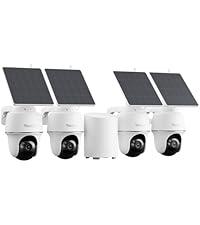
I bought the kit with the Home mini hub. I use them on our Arizona ranch, Thankfully they support 2.4 GHZ wifi, which has a much longer range than 5GHZ. These cameras are awesome. I use the windows app, as the phone app is ridiculously difficult for my senior citizen eyes. I found that they had a beta option to fully track identified objects as they move, dog, person, car, and it works splendidly. Video quality is great, the PIR detection can be a bit slow, but it is adequate. I'm very happy with the set, I will likely buy one more to fully cover the property. I don't understand the negative reviews, I think some people just think they are too smart.
A**.
Good battery/solar panel combination. Sw has difficulty reaching the camera
Strong battery so far which is important as cheap brands have too small batteries that cannot feed the camera on cloudy days. Video is clear but cannot work in color during night time like another Reolink camera I have. Software is user friendly but does not do a good job at reaching the camera through internet. It will connect in a very unreliable frequency. Once connected, it works fine.
J**L
Buy,Buy,Buy you won't regret them.
Excellent cameras I'm very happy with them.
I**6
自動追尾後、元の監視ポイントに戻らない
我が家の環境では自動追尾後に監視初期ポイントに戻らないので機能をオフにしました。キャリブレーション(校正)を実行すると監視初期ポイントに戻るので、追尾時はモーターの座標取得に失敗してるのかな。バージョンアップで直ることを期待。
S**.
الوصول للكاميرا يحتاج اتصال بالانترنت سريع
بعد شهر من الاستعمال، جيدة عموماً ولكن عيبها تحتاج اتصال انترنت سريع وايضاً استجابتها للحركة ليست كما يجب اذ انها لا تقوم بتسجيل الفيديو عند استشعار الحركة فوراً ، ولا يمكن ضبط هذا من الاعدادات.
M**D
ريولينك أرجس بي تي مع لوحة شمسية
افضل كاميرا من ناحيه البرمجه و استقرار الاداء و عيبها الوحيد ضعف الفريمات للقطات السريعه
J**S
Excellent product
Picture is very clear , the solar works brilliantly highly recommend
Trustpilot
1 day ago
2 days ago