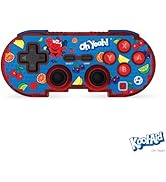
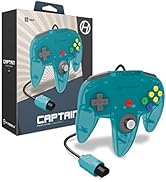
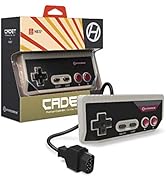
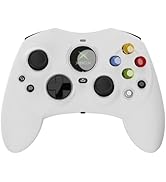
🎮 Bring your N64 classics to life on modern platforms—because retro never goes out of style!
The Hyperkin Controller Adapter connects your original N64 controller to Nintendo Switch and PC via micro USB, featuring a compatibility switch for easy mode toggling. Lightweight and durable, it supports plug-and-play functionality with no software installation required, making it ideal for emulators and modern gaming setups.


| ASIN | B082N7K8QS |
| Customer Reviews | 4.3 4.3 out of 5 stars (839) |
| Date First Available | December 11, 2019 |
| Item Weight | 1.6 ounces |
| Item model number | M07412 |
| Manufacturer | Hyperkin |
| Product Dimensions | 7.87 x 11.81 x 3.94 inches; 1.6 ounces |
| Release date | December 13, 2019 |
| Type of item | Video Game |
R**A
great, simple product
It's simple. It works. I use mine with emulators like Project64 and it's 100% compatible and functional. I've had mine for 7 months with no problems. Pros: -inexpensive -feels solid, well built -simple -plug and play, no software to install Cons: -only accommodates one single controller (this is obvious, but I should point out the fact that this is only an adapter. It doesn't come with a controller)
J**Y
Great product
Works great with my old N64 controllers. Makes it really easy to play all my old favorite games. I bought 2 over a year ago and they still work great I have had no issues at all. No glitching
S**1
Finally compatible for switch! 😍😍😍😍
Finally.. been searching for a specific accessory FOR THIS VERY REASON. Using the classic original n64 for switch! Just for two games I was dying to play again. FORESAKEN 64 and Zelda ocarina of time. The search is ended. Thank you for that
T**E
Actual waste of money
I'd rate this a 0/5 if I could. 100% does not work with PC despite what any previous reviews would lead you to believe. The PC recognizes there's an adapter plugged in, but won't actually let you configure any of the controller buttons. Contacting their "customer service" was an absolutely joke. Asked for the serial number for my device then never followed up with me on a potential solution. Save yourself the money, avoid this product at all costs.
L**S
Android Emulator Compatible with N64 Controllers
Works great for use with existing N64 Controllers. Can use existing N64 Controllers using this adapter for Android Emulator software.
L**N
Works and am having a great time BUT know this!
So I bought this to use with Project64 and my original N64 controller. It took me longer than it should have to get it working, and yes I did have the adapter set to PC. So first off, when you start Pj64, you need to click at the top border of the windowed screen where it says Options, then select Configuration, then click on Plugins, then in the right side of menu screen, select Input (controller) plugin:, select the option for N-Range For Project64 (*it will also list the build you have as part of the title), then click Apply and then OK. You should then go back to Options and click Input Settings, from there you can map the controller to your N64 original controller. Now, the issue I had was that my controller was not being picked up at all. The Adapter was though. I googled for a while and couldn't seem to get an answer. I ended up switching out my controller with another N64 original controller. It worked like a charm! The joystick even drifted a little, which was my controller and not the adapter. I compared the two controllers and spotted that the first controller had a memory card in it. I took out the memory card and plugged the controller into the adapter. Started up a game and it worked just fine! So, if you are having issues where the controller is not being picked up/read/detectable, make sure there’s not a memory card in your controller. I don't know if using a rumble pack would be an issue or not. So I hope this helps anyone and saves you sometime. I am giving 4 starts instead of 5 as there’s no trouble shooting provided on the company website and the instructions that comes with the adapter does not cover this at all, the instructions by the way sre in the folds of the front and back cover display. PS-I saw some posts here about needing to calibrate the controller in your controller panel first, I did not have to do that. Not a bad idea though. :)
R**O
Uno de los mejores adaptadores
Se adaptó perfectamente
C**S
Works perfectly in Windows 10
The Hyperkin adapter works perfectly in the latest version of Windows 10 (22H2, 64-bit). If you're on PC, make sure to set the switch on the Hyperkin adapter to "PC." Once you have the N64 controller and the adapter connected to the computer, you'll need to calibrate the controller's joystick or it may not work properly. Open the Control Panel and you'll see the Hyperkin adapter (no software installation needed). Right-click on the adapter icon and choose "Game controller settings." Click on "Hyperkin Adapter" and then on "properties." In the properties window that opens up, Click on the Settings tab and choose "Calibrate." Follow the prompts to calibrate the joystick - I used my palm to rotate the joystick fully clockwise a couple of times. It's important to note that you don't need to calibrate the "Z axis" or "Z Rotation" settings - they correlate to the yellow buttons on the controller. After calibrate is complete, click on "Apply" and you're done. Hopefully this post will help those that aren't familiar with setting up game controllers in Windows.
ترست بايلوت
منذ أسبوعين
منذ أسبوعين