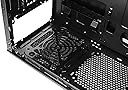
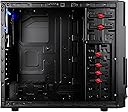
I got this case because of the obvious. Firstly, it's white. Its design looks like some sort of mech-like paneling, and I find it extremely attractive. The inside of my build has very few lights (PSU, and a fan or two) and older, mid-level gear, so the smaller window was perfect to give just a sneak peak and not spill too much. Its cost. It is CHEAP. For what you get, this case is a bargain, but it does have its 'flaws' or.. rather, characteristics. The paneling is thin and the case is really light. It is not sturdy when in pieces, but when it's pieced together I'd feel comfortable lugging it around for a LAN party or two. Oh, and it's good to note I'm reviewing it on Amazon and not NE because it's CHEAPER here! OK. Things I'll try to clarify: Depending on your motherboard, you CAN fit a regular sized 120mm fan into the top, front-most fan slot. My mobo (Asus P5KC) has just barely enough clearance. The fan literally is pressed against the RAM clip ins, so really I'd have to take this top fan out to change my RAM. It is possible, but if the clearance looks like it's any less than my MOBO, you'll have to get a slim. I CANNOT use the top, back most grill because my LGA775 Freezer Pro (pushing air towards the back) does not give enough clearance. This is fine since the holes most likely don't line up. A fan absolutely can fit in the front of the case. The case comes with 4 longer screws just for this. It has 4 screw holes after you take off the front panel, but I found with a 120mm fan I can only secure it with two screws. I padded the bottom of the fan where it would touch the metal with its own cable, thus eliminating any vibration there might be. I also see that I was able to mount a 120mm fan on the side panel through the holes in the side. I was only able to use two screws, and it's a bit cockeyed so that I could find the fans screw holes, but it was possible. I have two 120 mm fans pushing in (front and bottom) and two pushing out (Top and back) with an additional 92mm side fan, and my PSU put in upside down the suck hot air out. This case runs HOT and if you're a gamer, invest in some fans. (Look for the 4pack Rosewill fans here or on NE, it's only about 10 bucks.) If you had to choose where to put fans, I'd say in order from most important to least, probably front, top, then bottom. The side (if you can fit one) pumps air right on the GPU, pretty useful. Small thing that kind of bugs me, the blue LED kind of floods into the red HDD light and makes it look pink. This can be fixed. The case is a pain to take the front panel off. Also, the snow version has the USB 3.0 MOBO attachment and not the lame-ass run through. I don't like you have to pop out the rear brackets for your cards. I do like the cable management, but when I take the other side off it gives birth to bundles of hidden wire. The toolless design WORKS, but I felt more secure actually screwing them in on the opposite side. WIth a few extra fans, the heat from this case gets pumped out -- against its will. This case won't be cool AND quiet, you're going to have to put in at least one more fan, especially if you're OCing. Okay. That was pretty much a vomit of information, I hope it's useful and can help somebody on the fence with this case. I give it five stars, but was very tempted to give it four. But for the simple cost of this case, it's amazing for what you pay for. CHeap, looks that can KILL, and that's all I was going for -- and this case delivers. tl;dr: put in a fan or two, and don't complain about the case when you only paid 50 bucks.