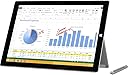
🚀 Elevate your work & play with the Surface Pro 3 — power and portability in perfect harmony!
The Microsoft Surface Pro 3 combines a powerful 4th Gen Intel Core i5 processor with a sharp 12-inch 2160x1440 HD touchscreen, 8GB RAM, and 256GB SSD storage. Designed for professionals on the move, it offers a lightweight form factor, built-in kickstand, and Surface Pen support, making it a versatile 2-in-1 device ideal for productivity, creativity, and entertainment. Windows 8.1 Pro ensures a familiar, robust OS experience, while USB, microSD, and miniHDMI ports provide flexible connectivity options.
| ASIN | B00KHR4ZL6 |
| Age Range Description | Adult |
| Aspect Ratio | Unknown |
| Battery Average Life | 10.0, 9.0 Hours |
| Battery Capacity | 9000 Milliamp Hours |
| Battery Cell Type | Lithium Ion |
| Battery Power | 4.27 Watts |
| Best Sellers Rank | #546,419 in Electronics ( See Top 100 in Electronics ) #5,889 in Computer Tablets |
| Brand | Microsoft |
| Built-In Media | 360 W Power Supply Quick Start Guide, Safety And Warranty Documents, Surface Pen, Surface Pro 3 |
| CPU Model Number | Core i5-4300U |
| Camera Description | Front, Rear |
| Cellular Technology | 4G |
| Color | Silver |
| Compatible Devices | Stylus Pen, Keyboard |
| Connectivity Technology | Bluetooth, USB, Wi-Fi |
| Customer Reviews | 4.2 4.2 out of 5 stars (613) |
| Display Refresh Rate in Hertz | 60 |
| Display Resolution Maximum | 2160x1440 |
| Display Type | Touchscreen |
| Front Photo Sensor Resolution | 5 MP |
| Generation | 4th Generation |
| Global Trade Identification Number | 00885370758061 |
| Graphics Coprocessor | Intel HD 4400 |
| Graphics Description | Integrated |
| Hardware Interface | MicroSD, Mini-DisplayPort, USB 3.0 |
| Human-Interface Input | Buttons, Keyboard, OCR, Touchscreen, Touchscreen with Stylus Support |
| Item Weight | 1.76 Pounds |
| Lithium-Battery Energy Content | 38.4 Watt Hours |
| Manufacturer | Microsoft |
| Memory Slots Available | 1 |
| Memory Storage Capacity | 256 GB |
| Model Name | Surface Pro 3 |
| Model Number | PS2-00001 |
| Model Year | 2014 |
| Native Resolution | 1920x1280 |
| Number of Rear Facing Cameras | 1 |
| Operating System | Windows 8.1 Pro |
| Other Special Features of the Product | Lightweight |
| Photo Sensor Resolution | 5 MP |
| Processor Brand | Intel |
| Processor Description | Intel Atom, Intel Core |
| Processor Speed | 1.9 GHz |
| RAM Memory Installed | 8 GB |
| Rear Facing Camera Photo Sensor Resolution | 8 MP |
| Screen Size | 12 Inches |
| Sensor Type | Ambient Light Sensor, Accelerometer |
| Speaker Description | Stereo speakers with Dolby audio |
| Specific Uses For Product | personal |
| Supported Audio Format | MP3 |
| Total Usb Ports | 1 |
| UPC | 885370758061 |
| Video Capture Resolution | FHD 1080p |
| Video Processor | Intel |
| Warranty Type | Limited |
| Wireless Compability | 802.11b, 802.11g, 802.11n |
| Wireless Technology | Bluetooth, Wi-Fi |
T**L
You'll love it!
Best laptop and tablet I have ever owned. Super versatile, portable, and powerful. The i5 processor works great for casual and business use. Maybe upgrade if you're a big gamer, but it's not necessary for the average household user. I recommend getting at least 8GB of RAM though. Just seems to be a better investment. Add a type keyboard and you'll have everything you need without the hassle of a clunky laptop. It's such a perfect size - I can literally throw this in my purse and take it to meetings without having to deal with an extra laptop bag. But at the same time, the screen is well sized so it doesn't feel like just a little tablet for only playing apps. I wish I had had this in college instead of the giant laptops of the early 2000s! It's like the size of a notebook, maybe even smaller, and would have been so easy to carry around campus and take notes in class using the awesome OneNote program. If you have a child who is a current or future student, buy this for them! It's fantastic for traveling to, as it fits well on a plane tray table, and doesn't take very much space in your carry on bag. You can read books with Nook or Kindle or Overdrive (library) apps. Or watch movies, play games, or get some work done. I've taken it on car trips and both long and short plane rides, and it was fantastic for all three. You'll also love the USB and microSD ports. Very convenient compared to other tablets on the market. You can plug it into an external hard drive, external optical (CD/DVD) drive, or download files. It even has miniHDMI, so you can plug it into your tv. I actually did that for a PowerPoint based game at a baby shower and it was very easy to hook up. Just plug it in, hit (Windows button) + P for projection options, and you're set. You could also use it to project pictures or watch movies. I had a Surface RT previously, and this is a vast improvement. Not only is the processor way better and bigger hard drive, but there are some other features which are much more user friendly. The kickstand is my favorite. It has a super large range of motion that fits just about any sitting or laying position comfortably. I even use it to rest my Surface on the arm of the couch when I need to set it aside for a second. And the best part is that it's built in, so you don't have to buy any extra case or assemble something in order to prop it up, like you would have to with an iPad. Just push out the kickstand and you're set. The power port is also an improvement, and the cord slides in easily with a magnetic grip. But also releases if someone trips over the cord or something.
J**R
Very good windows tablet and laptop computer
I started down this path looking for a "cheap" windows tablet that would be my coffee table computer. I first purchased a very low cost ASUS Transformer Book, thinking wow a tablet windows PC for under $300. Well I had to return not one, but two of those low cost puppies because of build quality problems (power on one and touch pad on second). So then I decided to look at a higher end windows device, since I don't use iProducts and needed a decent tablet/laptop. I soon discovered the Surface Pro 3 and convinced myself that perhaps you do get what you pay for...but I was skeptical about a Microsoft hardware design. After playing with this PC for over two weeks now, I can give it a big thumbs up. Everything about it has exceeded my expectations. It's lightning fast and I'm running some very CPU intensive software (Photoshop, Capture NX2, MediaPro). My need isn't just to web surf or read a book...I need a real computer that can crunch on the bits using real software. Plus the touch screen is incredible...so good that I'm now noticing web pages that have low res graphics that I never noticed before. If you are looking for a windows device that can be both a tablet and a laptop, look no further the Surface Pro 3 is it. It's light, it's fast, it's the perfect size for a coffee table PC that can be either a tablet or a laptop and the battery life is better than any laptop I have owned. If you only need to web browse or check in on social media, this computer is more than you need. And regarding my reluctance to consider a Microsoft hardware design, wow way to go MS! They hit a home run with this device. My only beef about it is that the Pro 3 Type Cover/keyboard is a separate item that has to be purchased separately (a must have for this device). If I was a product mgr at Microsoft I would reconsider that decision...at least initially. They may not make as much profit by throwing in the Cover/Keyboard with the Surface Pro 3, but they just might lure those reluctant iProduct folks back into the PC fold with this new product offer. This is a great PC that has found a new home on my coffee table and has the horse power to get the work done! Plus it looks good to boot. I highly recommend it.
C**N
Estoy conforme con el producto no se han presentado fallas. Llegó bien protegido y en perfectas condiciones físicas pudo iniciar el uso inmediato y eficiente la surface.
ترست بايلوت
منذ 3 أسابيع
منذ شهر