We remain fully operational. Our teams are working around the clock to ensure your deliveries continue safely.
قم بتنزيل التطبيق


معلومات عنا
حقوق الطبع والنشر © 2024 Desertcart Holdings Limited
قم بتنزيل التطبيق
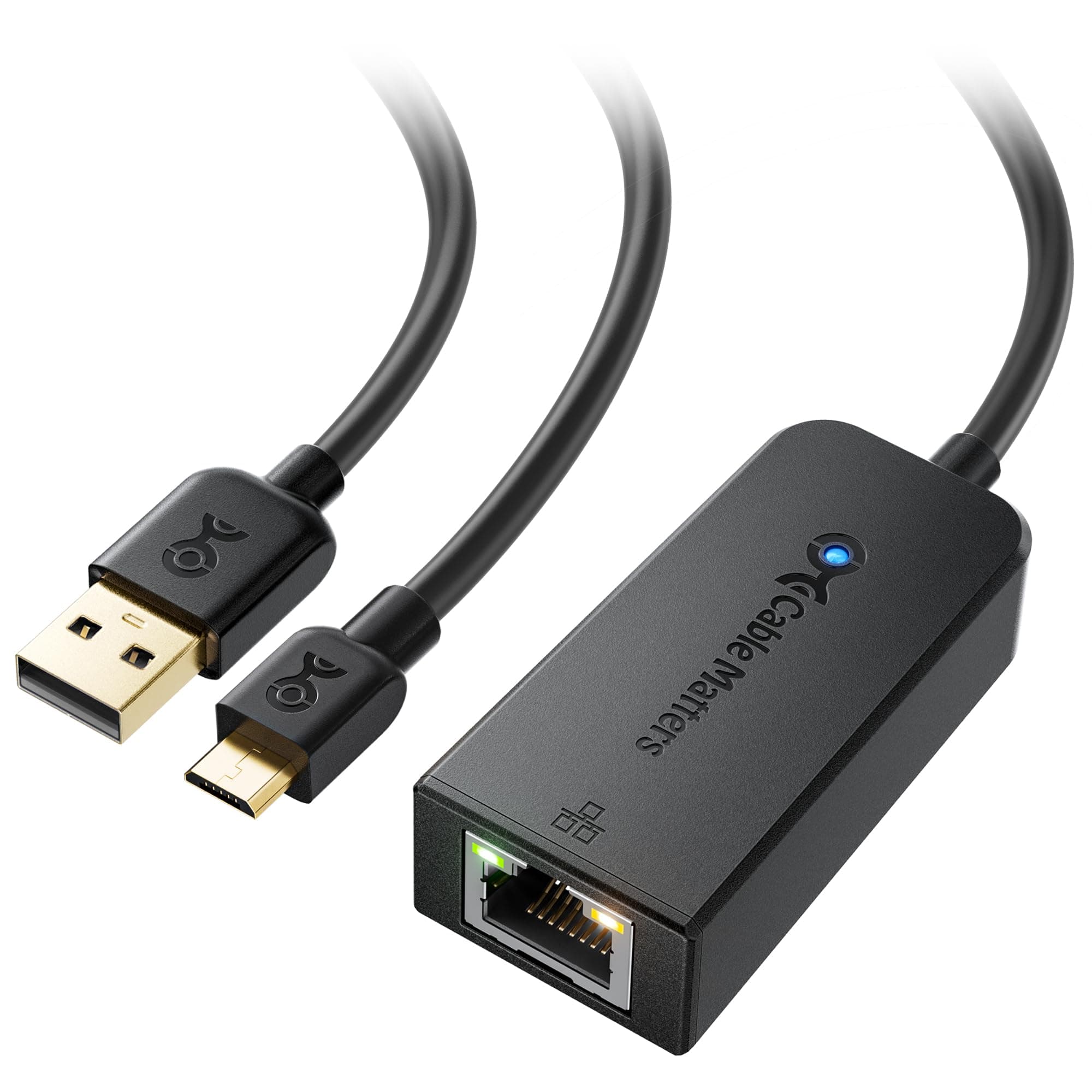
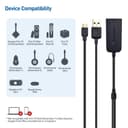
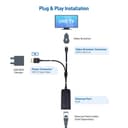
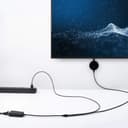
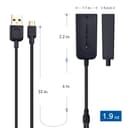
🚀 Stream Smarter, Not Harder — Stay Buffer-Free and Ahead of the Pack!
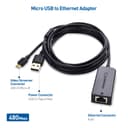
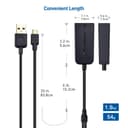
The Cable Matters Micro USB to Ethernet Adapter transforms your streaming device into a powerhouse of reliable, high-speed internet connectivity. Supporting up to 300+ Mbps, it eliminates buffering and lag by providing a stable wired connection. With a convenient 3-foot USB power cable and plug-and-play design, it’s compatible with popular devices like Fire TV Stick and Chromecast, making it the ultimate upgrade for seamless, professional-grade streaming.


| ASIN | B07R6P6MM8 |
| Best Sellers Rank | 11,262 in Computers & Accessories ( See Top 100 in Computers & Accessories ) 117 in USB Computer Network Adapters |
| Brand | Cable Matters |
| Brand Name | Cable Matters |
| Color | Black |
| Colour | Black |
| Compatible Devices | Streaming Stick, Smart Speaker |
| Compatible devices | Streaming Stick, Smart Speaker |
| Country of Origin | China |
| Customer Reviews | 4.3 out of 5 stars 1,032 Reviews |
| Data Link Protocol | USB, Ethernet, Fast Ethernet, Gigabit Ethernet |
| Data Transfer Rate | 0.48 Gigabits Per Second |
| Data link protocol | USB, Ethernet, Fast Ethernet, Gigabit Ethernet |
| Hardware Interface | USB, Ethernet |
| Hardware interface | USB, Ethernet |
| Item Dimensions L x W x H | 12L x 10W x 1.5H centimetres |
| Item Weight | 0.06 Kilograms |
| Manufacturer | Cable Matters |
| Manufacturer Part Number | 202053-E |
| Model Number | 202053-E |
| Product dimensions | 12L x 10W x 1.5H centimetres |
| UPC | 818707024904 |
V**N
Great addition to my Chromecast gen 1 for very little money. A bargain really.
This Ethernet adapter works flawlessly with my Chromecast gen 1, which I have used via WiFi for the past 3½ years or so. On WiFi, overall the Chromecast was pretty good, but occasionally I'd get drop-outs or degradation in picture quality due to bandwidth reduction, so I thought for £13.99 I'd give this little gizmo a try. I have it connected to Ethernet via a 10/100 network switch connected to a home-plug which gives me around 80Mb/s, which is plenty for video streaming. The Ethernet adapter really was plug-and-play, and I was able to power the Chromecast via the adapter from one of my TV's USB ports, as I had done with the Chromecast on its own previously. I connected everything all up and it seemed to be working, but none of my Android devices could "see" the Chromecast to cast to it. I decided to do a factory reset on the Chromecast (more by luck than judgement) and once that was done and it was added to my Google Home account, it was available for casting. The only other slight oddity is that after powering on the TV (and thus the Chromecast), the first Android device (e.g. my phone) on which I load Google Home and try to "see" the Chromecast says it's not available. But then if I load Google Home on a second Android device (my tablet that I use for streaming), the Chromecast is available for casting. As long as I follow this approach, it's all good. Both my phone and tablet are running stock Android 10. I do have an older phone that runs Android 7, so maybe it's version-specific, so may give it a try on that to see. But otherwise, the adapter has worked flawlessly - I no longer get any buffering or any picture degradation, so clearly the adapter is delivering solid, reliable bandwidth for video streaming at 1080p quality - all the services I use: BT/BTSport, Sky Sports via the Now TV app, NetFlix, Amazon Prime and Disney+ work flawlessly with exceptional picture quality. I have had a couple of drop-outs but I think that's the Chromecast itself rather than the adapter. After a quick reconnect, everything is all good again. So, all-in-all, a cracking little piece of kit for not much money that does what it says on the box, plain and simple.
M**W
Works great
Works great, I ordered one to try and have 200mbps to my firestick so I’ve ordered another for my other stick. I originally bought one advertised as 1000mbps but it didn’t work at all. This is the highest speed I can find as I have 600mbps to the router
D**X
Cable Matters micro usb to Ethernet adapter
This adapter appears to be good quality, but has a lower speed under 100Mbps when connected to the Amazon Firestick 4k max generation 1. However, I have been informed by a family member that it allows a faster speed over 300 Mbps when connected to the newer Firestick 4k max generation 2 model 2023.
C**K
Amazing Adapter for 4KFirestick
I purchased this adapter and a Cat 6 ethernet cable to link up to my 4KFirestick for the purpose of streaming. Easy installation. My internet speed is capped at 125mbps. (I have no choice with my current provider it the only one in my area due to it being a new build area). Ordinarily without the adapter I was only getting a speed of 70mbps on streaming! sometimes less as well as buffering/lagging. This adapter is amazing I'm getting no buffering or lagging using the adapter an the ethernet cable. I'm getting 120mbps on streaming . I did purchase The Amazon Adapter which is capped at 100mbps and I tried it and sent it back it was only giving me a speed of 70mbps on streaming with buffering/lagging . Happy Days took me ages to research this one. Sellers communication was brilliant. I would highly reccomend this product if you are streaming and getting slow speeds and buffering/lagging. 5 stars from me. Love It!
M**.
Firestick 4K Max 2nd Gen
***FIRE STICK 4K MAX 2nd GEN*** I have 500Mbps broadband with EE, my firestick received around 350-380mbps over WiFi. Occasionally it would stutter when streaming on the Xbox Cloud Gaming, so I thought I’d upgrade to a hard wired connection. Then after research, I discovered the limit of the Firestick’s Micro USB 2.0 being something like 480Mbps but also limited by the CPU usage. So really you’ll never achieve over 375-400Mbps. No point even trying a 1000Mbps connection unit that is also sold on here as it won’t work… I receive around 357Mbps on a hardwired connection but ping and jitter are down so I feel that’s more stable now, and these speeds are slightly slower than WiFi but is still plenty, the ping and jitter outweighs the small drop.
A**N
Sped my Firestick up from 5mbps to 365mbps!
I've got a Firestick 4k that was buffering all the time when using certain apps we all enjoy. I did a speed check on the firestick wifi and it was coming back at 5mbps on a 1gig internet connection, absolutely awful! All other wifi connected devices in the house work super fast, but despite the firestick being 2 metres away in direct sight of our main router, thats the best it could do. Our tv which the firestick is connected to even manages about 450mbps! Decided to look into an ethernet connection and saw the amazon offering on here and then clicked on this one. I can confirm other reviews, my speed after plugging this in (which took 2 minutes) is now 365mbps as opposed to 5mbps! Amazing! No more buffering on my firestick app, dont hesitate if you are having the same issues... 👍👍👍
M**N
Incompatible Google Tv with Chromecast
Would not work with Google Tv with Chromecast. Advertising said it would work. No power or data lights were active. In other words, the device was dead. Is it faulty?
M**C
It breaks the 100mb barrier!
Okay so I purchased two of these; one for a 4k Max Stick and another for a First Generation Fire cube Fire 4k Max Stick It took the 4k Max from 92mb hardwired to 300mb which speaks for itself The only issue I encountered was powering the stick from a usb 2.0 source caused the Fire Stick to keep rebooting (I believe another post here complained about this causing reboot); power the adapter from a powered usb 3.0 hub solved this issue and works flawlessly Fire Cube Took the Cube from 90mb hardwired to 200mb which is another achievement One thing to note is the adapter doesn’t require separate usb power because the Cube is powered separately by its own power source My only complaint and the reason why it has four stars not five is; you cannot plug in and other devices with the adapter! For example a usb hub or a Xbox 360 wireless adapter that works with the Fire Cube and Steam Link for retro gaming with some 360 controllers, even a micro usb adapter that has both USB 2.0 and Micro USB doesn’t work as it doesn’t allow the network adapter to be seen To be clear; for steam link to run at maximum settings stable, above 100mb network link is needed which is not possible with the standard amazon adapter and wireless can be hit or miss with stability issues hence hardwired is the best option and above 100mb connection is needed As for the controller; a Bluetooth controller will lose vibration when connected to the cube via Bluetooth so hardwired to the usb port is needed or the Xbox 360 wireless adapter because it retains the vibration wirelessly Use the Fire device wireless; which would allow a otg hub which then makes this network adapter pointless or a Bluetooth controller which then removes the retro feel from the experience! This is my only disappointment Edit/Update I have managed to solve my issue of having best of both worlds when it comes to a fast network adapter and Xbox 360 Controllers To do this you have to purchase two additional items First item is a “USB Flash Drive Adapter for USB A Male to Micro USB Female Connector (1 Count) OTG Converter“ Second item is a “Micro USB Ethernet Adapter with USB OTG Hub Compatible with TV Stick” You have to plug Ethernet cable into the cable matters network adapter; then into the USB Converter and then plug that into the OTG Hub adapter and then the hub into the fire cube in case; then you can plug the Xbox 360 wireless adapter into the hub as well Other than this the Network adapter is great addition
ترست بايلوت
منذ شهر
منذ يومين