
🎤 Own Your Voice, Command Your Audience
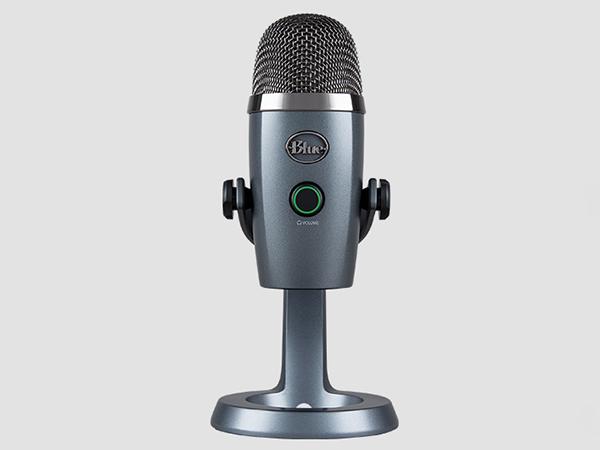
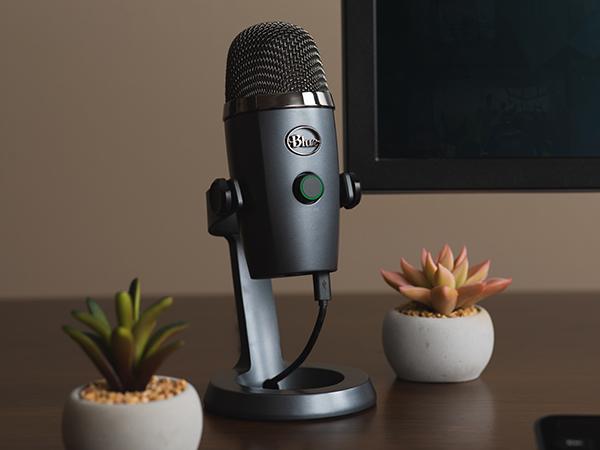
The Logitech for Creators Blue Yeti Nano is a premium USB microphone designed for gamers, streamers, podcasters, and remote professionals. Featuring 24-bit broadcast-quality sound, advanced Blue VO!CE vocal effects, and a compact blackout design, it offers plug-and-play ease with Mac and PC compatibility. With dedicated headphone output and omnidirectional/unidirectional polar patterns, it ensures crystal-clear audio monitoring and versatile recording options, making it the go-to mic for creators who demand professional sound without the bulk.





| ASIN | B07QLNYBG9 |
| Antenna Location | Gaming, Streaming |
| Audible Noise | 120 Decibels |
| Audio Sensitivity | 120 Decibels |
| Best Sellers Rank | #756 in Musical Instruments ( See Top 100 in Musical Instruments ) #17 in Multipurpose Condenser Microphones |
| Brand | Logitech for Creators |
| Built-In Media | Yeti Nano Mic,Custom Base with Cable Management,USB Cable,1/4-inch to 5/8-inch Adapter,Quick Start Guide |
| Color | Blackout |
| Compatible Devices | Camera and Notebook |
| Connectivity Technology | USB |
| Connector Type | USB |
| Customer Reviews | 4.6 out of 5 stars 11,728 Reviews |
| Enclosure Material | Metal And Plastic |
| External Testing Certification | Não aplicável |
| Global Trade Identification Number | 00836213001639 |
| Hardware Platform | PC |
| Item Dimensions | 4.29 x 3.78 x 8.37 inches |
| Item Height | 8.37 inches |
| Item Type Name | Blue Yeti Nano Premium USB Mic for Recording and Streaming - Blackout |
| Item Weight | 1 Pounds |
| Manufacturer | Blue |
| Microphone Form Factor | Omnidirectional Microphone |
| Model Name | Blue Yeti Nano Premium USB Mic for Recording and Streaming - Blackout |
| Model Number | 988-000400 |
| Number of Batteries | 1 Lithium Ion batteries required. |
| Number of Channels | 2 |
| Polar Pattern | Omnidirectional, Unidirectional |
| Power Source | Usb Microphone,Usb Condenser |
| Signal-to-Noise Ratio | 80 dB |
| Special Feature | Volume Control |
| UPC | 836213001639 |
| Warranty Description | 1 year manufacturer. |
D**N
Honest review from graphic design expert
Many people say that the shure sm7b would outrank any mic. Why not a Scarlett? Hmm. What a tough decision. The solution is here, folks! It’s a usb mic with AWESOME sound quality. It has been tested to be better than my $400 headphones mic and my $260 earbuds. I have the Bose 700 noise cancellation headphones And AirPod pros This yeti mic is better in microphone quality than these 2 combined. Of course you’ll need a computer to fit the mics power. If you are just on discord all day talking, a yeti mic will only do you good if you have enough ram (in certain context) for all you people out there that do not know what ram is. It’s a component used for, well, helping your computer process things. (Assuming the viewer has no knowledge) if you want to do animations and are considering buying this mic, make sure you have at least 8 gigs of ram for gods sake. You cannot do anything with 4 gigs of ram, let’s face it. If you have 8 gigs of ram and a good i3 cpu, you can use this mic up to full potential. If you have a chronebook, honestly I do not know why you’d need a mic like this, but it should work for them. (I cannot say for sure on older chromebooks) I use my yeti on windows. Works like a charm! No different than the $400 mics in my opinion. Obviously, there is a difference. But compared to the price and what you get, yeti is by far the best in my opinion. If you are just starting out in the music industry or you do gaming on a mid end pc, this is the way to go. Have tons of friends that use it that say all good things about it. Let’s go over the logistics. Package was in GREAT condition! Worked perfectly Not damaged Arrived on time (like always) you know, I’ve never ever had a problem ONCE with it arriving late. With any items. I use Amazon a lot too! Super super easy setup, you just plug the micro usb into the mic and plug the other end of the usb to the USB port on your computer. Well, that should be it. 5 stars all the way. I do animations on Adobe, programming in css and html & JavaScript while on business calls, plus creating audios for the music industry and this has never failed me. 👍👍👍
L**S
A must have item for those that work 100% remote
I was on the fence for buying a dedicated microphone for quite some time. Tried many different methods including countless Bluetooth headsets to dedicated DAC with mic input. None seem to work consistently and ALWAYS had some issue before and during those long call sessions. Alas! Logitech Yeti Nano is the solution. What I like. Plug-n-Play. Although the description says I need to use the app to control the volume, it was literally Plug-N-Play used with Windows 11. It has dedicated headphone out. So I use Etymotic ER4SR noise isolating in-ear monitors (IEM). It's awesome because I don't have to raise my voice as the Nano feeds some of my speech back into the IEMs. I just speak normally. Compactness cleared up so much space on my desk. Highly recommended if you work 100% remote.
T**R
Speak clearly and hear exceptionally online and in person.
Finally found th best economical and great sound microphone. Easy to connect with laptop and picks up all sounds. Honestly you need to be careful because it picks up better than you think for the price. Works fantastic for a business meetings, interviews, homeowners meetings and more. Just remember you have a "hot mic" because it picks up everything. The people on the other side love it -they can now hear clear and everything all the time.
J**5
Great sound, Lousy software
Pros: + Equally good sound to Blue Yeti for half the size + Volume knob and lighting looks cool and works well + Don't miss the extra sound settings as only ever used cardioid or full surround Cons: - Need the Blue Sherpa software to control the gain, but... - Installed the software (Windows 10, 64 bit) and it recognized the mic the first time and the controls worked, but after a re-boot, it would no longer recognize the mic ("Uh-oh! It appears you don't have any devices connected..."). But the mic is still working, light is lit, but I can't control the gain without going several clicks deep into Windows setting. Blue tech support was not helpful. Followed all their instructions including uninstall/reinstall, installing Logitech's hub software also, and has never worked since. Mic is still excellent sounding, but lack of control is a hassle. I found several posts of others having this issue and no resolution. YMMV. - REALLY MISS THE HARDWARE CONTROL GAIN KNOB ON THE BLUE YETI Overall I highly recommend, as it is at it's core an excellent quality microphone and delivers professional sounding recordings and webinar broadcasts. Just know you may need to really play deep in Windows settings to tune it to your specs.
M**E
Quality is great
Great improvement over having a headphone microphone. I’ve been told I sound so much more clearer since I made the change. Great value for money and easy use out of the box.
A**M
A great value with quality for its cost
For a gamer this is a very nice mic. It very good quality my son loves it. The value you get for the price is awesome
J**6
Perfect for enhancing WFH audio experience!
After a full year of WFH (with no signs of that changing any time soon), I finally started listening back to meeting recordings and realized how poor my audio quality was using my internal laptop mic with my desk setup. I don't like wearing headphones and especially hate those N*SYNC style mic/headphone combos, so I picked this up to plop on my desk instead. I get a lot of comments from co-workers how much louder and clearer my audio is, and believe it or not I feel like productivity in meetings has gone up considerably as a result. Much easier to get your point across when people can actually HEAR you! Works like a charm with MS Teams - plug and play on my Mac with 0 issues whatsoever. I also installed the Sherpa app to fine tune the gain if I need to. Despite some reviews, I am able to use this without headphones just fine, never had any feedback issues in Teams. I have my input as the Yeti Nano, and output as my Mac's speakers set as my default I/O setting in Teams & Finder. The cardoid setting works great to limit background & keyboard noise, I keep it in front of me angled slightly up/to the left of my keyboard. Added bonus, it looks super cool and adds a nice visual element to my desk, I feel like I'm Letterman sometimes (not really, but hey any happiness you can get mid-pandemic is key). Can't wait to bring this into the office if/when we ever go back. I'm sure this will work great for conference room audio in the omni-directional mode, we were using Jabra's previously which were spotty at best. BTW my use is relatively limited and just for improving Teams/conference call audio. I haven't done any extensive testing for podcasting, music, etc...so I can't speak to those use cases, but I can tell you it does what I need it to do great.
H**7
Simply Excellent
Right size, weight, price point, and the sound quality is simply excellent. Perfect for my needs.
ترست بايلوت
منذ شهرين
منذ شهر



