⚡ Build Bold, Stay Cool, Game On!
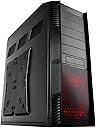
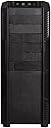
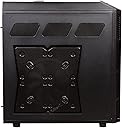
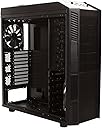
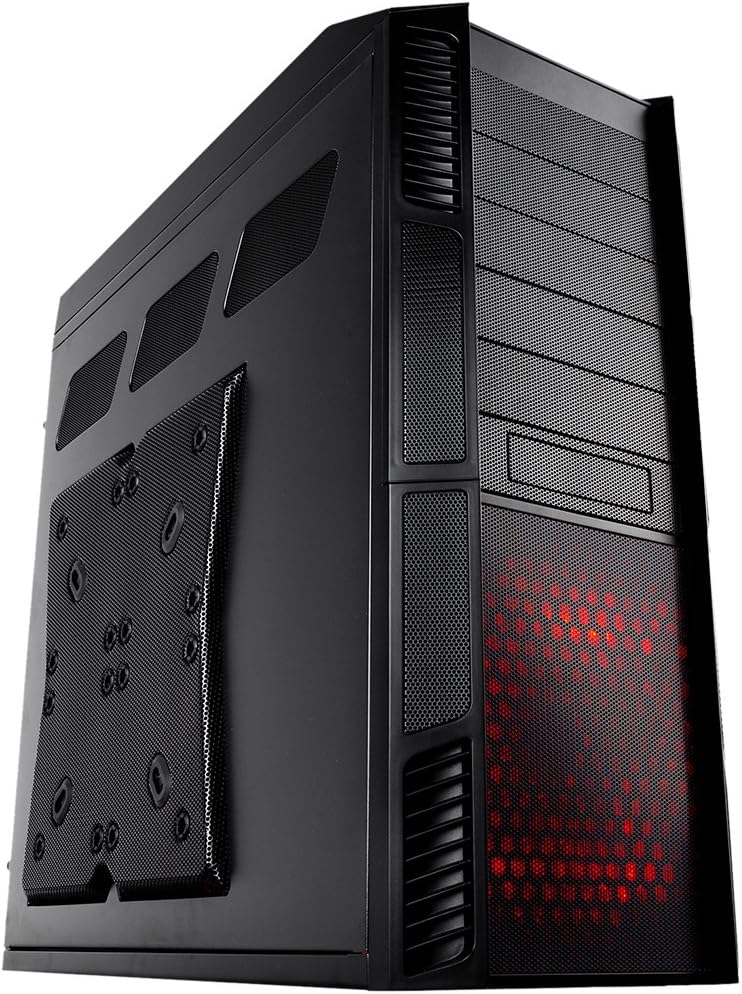
The Rosewill Thor V2 is a robust ATX full tower case designed for serious gamers and pros, supporting a wide range of motherboard sizes from Micro ATX to XL-ATX. It features four large fans with speed controls and innovative top fins for enhanced airflow, multiple front-accessible drive bays for quick upgrades, and a comprehensive set of USB 3.0, USB 2.0, and e-SATA ports. Built with durability and quiet operation in mind, this case offers a spacious, organized interior perfect for high-end builds and efficient cable management.


| ASIN | B0058P5S9A |
| Audio-out Ports (#) | 1 |
| Best Sellers Rank | #3,475 in Computer Cases |
| Brand | Rosewill |
| Color | THOR V2 |
| Customer Reviews | 4.5 4.5 out of 5 stars (1,052) |
| Date First Available | June 29, 2011 |
| Is Discontinued By Manufacturer | No |
| Item Dimensions LxWxH | 21.89 x 9.14 x 22.84 inches |
| Item Weight | 30.4 pounds |
| Item model number | THOR V2 |
| Manufacturer | Rosewill |
| Number of USB 2.0 Ports | 2 |
| Number of USB 3.0 Ports | 2 |
| Product Dimensions | 21.89 x 9.14 x 22.84 inches |
| Series | Thor V2 |
| Standing screen display size | 3.5 Inches |
A**D
Big, Beautiful, Cool, & Quiet - Plan Ahead
This is great case for the money. All other reviewers have hit the high points so I will not bore you repeating them. I am an avid user of whole case/component water cooling and was reticent to move away from it. My budget dictated however, a more modest price point for the new build. This case jumped out at me as far as price, specs, and reviews. I am very glad I made the move to air for this build and do not regret it one bit. I have had no heat issues and the case itself is pretty quiet compare to many I've heard; including the radiator mounted fans on my last water system. Post build, the case is very clean and organized which, by the way, makes for more efficient air flow over your components. There is massive room inside with HDD and External Drive Bays a plenty. The few cons I have are the size can make it interesting when routing cables and wires. One must plan to avoid coming up short. The other is the back-plain of the motherboard (where you can route all the wiring) can get a bit stuffed, but a good plan will mitigate any negatives here. Neither of these challenges were enough for me to knock off a rating star. Love this case and would recommend it to anyone who is looking to build a high-end machine.
B**N
I Really Like It! However, 3-fan AIO liquid coolers are problematic.
I don't know if it's simply boredom from being retired and a lot of home-boundedness, but I decided I'd blow a big part of my $1400 stimulus check on upgrading my existing mini-tower computer. I've built/upgraded my own computers maybe a dozen times or more since my first Intel 386 chip that I couldn't hide the upgrade from my wife. I've built and maintained perhaps another 20-30 computers for friends as well. So, after deciding on an AMD 3800x 8 processor 16 thread upgrade to my mildly overclocked AMD FX-8370 with suitable ASUS motherboard and 16gb PC-3600 RAM, next up was get a box to put it into. By the way...I've built with nothing but AMD processors and ASUS motherboards since 1989! Never, repeat, NEVER had any fail! Why a new box? My 8 year old mid-sized tower was simply not able to provide sufficient airflow to keep the FX-8370 cool over 4.66ghz which it would hit while doing video processing. My 'simple' overclocking lets the processor decide how fast to go, as well as all the way down to 1.5ghz when idle. Although I'm hard of hearing, I don't want to be listening to roaring fans, etc. as I usually listen to downloaded music videos while at my computer. I can hear the fans speed up when the CPU starts working hard. So, in looking for a new box, I needed front panel accessible SSD, HDD, and DVD bays. Since my Windows 98 days when I 'discovered' removable hard drives in 'carriers', I've had slide in/out everything ever since. That way, I can clone/backup drives at will and remove/replace them in under 15 seconds without opening the case after powering down. I make weekly clones of my operating system SSD and monthly clones of the 3TB HDDs. I also make extra copies of the SSD before I doing more tweaking Windows to remove it's useless garbage and get under 25 second power up-to-desktop screen times as a result. What stunned me is the almost complete lack of cases that had any front access to its drive bays! After perhaps 30 minutes of going through cases here on Amazon, I finally bought this Rosewill Thor V2 case. I considered one or two other contenders, but in doing 'due diligence' looking at the reviews on Amazon as well as elsewhere on the web (mostly Youtube), the Rosewill was clearly the winner. Only one of the video reviews of the Thor V2 I saw mentioned that it was 'not designed with top radiator liquid cooling in mind', or something to that effect. So, I naturally waited until the case arrived and using measurements for the Cooler Master ML360 Mirror cooler I was planning on, I went ahead and ordered it, too. Why a 3 fan cooler? Because the 2 fan cooler for the FX-8370 was more than adequate except when I REALLY pushed it and it would speed up past 4.7ghz and the temperatures over 65C, 'my' keep it cool limit. Back in 2016, when I decided to try overclocking, I bought a name-brand 2 fan AIO and simply replaced the 'stock' air fan that came with the FX-8370. Unfortunately, in a mid-tower case, it was not possible to have clearance between the radiator and fan together and the pump on top of the CPU. I had to mount the radiator in the case and the fans on top 'pulling' the air through. It worked, but could also be partly responsible for my thinking the 2 fan job was sometimes not sufficient. Being this is my 2nd AIO installation, I decided I wanted to put the cooler in the case first, then the mobo with CPU installed. The cooler went in without a hitch per the instructions. Like most new mobos, it took some 'pushing' the mobo towards the rear to get the first mounting screw in (hint, do rearmost 'bottom' screw first then swivel the mobo into the back plate). What I DIDN'T expect was that putting the screws in at the 'top' of the mobo would be almost under the AIO fans! If I didn't already have an 8" long Phillips screwdriver handy (required for changing batteries on a friends' mobility scooter), I would have had to remove the cooler to install the mobo. As it turned out, after dropping the screw closest to the rear connectors a couple of times, I finally removed that fan as working around the pipes and the fan simultaneously proved impossible. Next up was install the DVD drives. I decided to go with two as I sometimes copy one to another for non-commercially made DVDs, usually my own of friends, etc. Guess what? There's no room for the DVD drive in the top drive bay with the 3 fan cooler mounted! THAT possibility never dawned on my as I was so focused on using a 3 fan AIO. Scratch that bay, although it may be possible to mount a small panel in there like more USB ports, but what for? Fortunately, I still have 3 bays available for the two HDD slider bays and double SSD slider bay. As seen in the accompanying photos, there's only 5/8" inch between the top of the topmost DVD drive and the bottom of the frontmost fan, which is partially 'suffocated' by the DVD drive. I figured I'd put the least used, therefore the coolest drive under the fan rather than 'adding heat' from a spinning HDD or an 'active' double SSD unit. Also.... One more 'Gotchya' with the case...only 3-pin fans come inside it. There's 3 200mm fans and 1 140 fan in the case. There's also 2 fan speed controllers on the top, each with a 3-fan splitter attached to them. As 3 pin fans are not speed controllable by the motherboard & CPU, I replaced them with 4-pin versions, but only needed 2 of the 200s as the AIO takes the place of the third one. Also note, the top and side panel 200mm fans and rear 140mm fan do NOT have LED lighting. Only the bottom front fan does and the color (red only) is turned on/off by a small button hidden in the vanes on the lower right side panel 'vanes'. Finally, I got to the point of shutting down my old computer one last time and moving the 2 slide-bay hard drives and the double slide bay SSD drives and the power supply. Note that I did NOT put the cooler on the CPU just yet to provide maximum arm/elbow space while putting in the drives. Installing my thoroughly proven and more than sufficient 500 watt power supply became another unexpected problem. It wouldn't fit! There were two raised portions on the backplane of the case that prevented it from fitting! When did they change power supply dimensions? Or was I simply trying to put it in wrong? I don't know. So I flattened the portions and put in the power supply. THEN the real nightmare hit! The 8 pin power connection near the CPU was UNDER the first fan of AIO! Right next to the troublesome mobo mounting screw! I had no choice but to remove that fan once again, plug in the connector, and put the fan back...albeit with only 3 of the 4 screws. The power cable fits between the 'wings' of the fan and forces the fan to be about 1/4" away from the radiator. Such is life. As it turned out, I happened upon a Thor V2 AIO installation story yesterday that showed the radiator on top of the case and the fans below. Why didn't I think of that? Or even like I had on the other case with the fans on the top pulling air through the radiator? Old age, I guess. All my 'top' of the mobo screw and power cord problems would have been 100% alleviated if Rosewill simply had the mounting for the motherboard about 1" lower than it is. I considered doing it myself but I'd have to completely empty the case to cut and drill and tap as needed. I decided it was 'too late' in the build process, so I didn't move the mobo. Routing the modular power cables through the case and to the components went easily. My next step was to mount the AIO per instructions that came with it. That's when I discovered my mobo didn't have a secondary CPU fan connector which, for my cooler, would be used to power the pump. That's what I get for buying an under $125 mobo, I guess. So I connected it with an adapter directly to a 12v line from the power supply, so it runs at full speed all the time. At pretty much idle right now, my CPU is running 31 degrees. I'll take it. Now it was time to put the top on the case and route all the cables. I removed all venetian blinds as closing those, even by accident, could spell fried CPU in no time flat. In looking at all the cables coming out of the top, and after reading a number of descriptions and reviews of the case, I decided that the first 12v Molex connector was dedicated to the top light that I didn't want and the second one I finally figured out...THAT is the power for the 2 fan control rheostats I'm not using as I switched to 4 pin fans. So, I don't need either one. As seen in the pictures, I simply zip tied them and left them in the open bay. I also decided that the 'group' of smaller wires to the power on switch, reset, power on LED, etc should be bundled together with zip ties every 4-5", and the others bundled as well to simply feeding them under the fan into the mobo 'compartment'. After saying a couple of prayers, I finally pushed the power button for the first time. There was a fairly loud sound of something hitting, or maybe a bad bearing? I shut it down and while manually spinning each fan by hand, I discovered it was the bundle of cables from the top/front panel hitting the front fan of the cooler. Fortunately, there was enough room alongside that fan to reroute both bundles and then I zip tied them into the top 'grid' to make sure they didn't move. Extra 'niceity' of the case? On the 'backside' of the mounting platform where the cables get 'hidden', are 3 small loop/push outs that can be used to zip tie one or more cables into place. As I'm an old-schooler and don't like the flashing lights (I had more than enough of them in my IBM-360 assembler days when stopping the computer and manually changing registers, etc was a way of life!), I naturally have fans that don't light up, except for the cooler pump, which can be turned off. At least the lights on the RAM don't flash, etc. As for the power on and HDD active lights on the top/front panel? They're 4" long rows of LED on each side of the top/front panel with them both being solid red for power on and flickering orangish for the bottom half indicating HDD activity. I covered the left one completely with black tape and the top half of the right one with black tape. The bottom 1" worth of right LED strip is shows me what I want to know. In conclusion...I wish I knew 'up front' what I know now about this case and the AIO problems I'd have to deal with. Even so, this case exceeds my expectations for usability, durability (it's built like a tank!), flexibility, and sound deadening (I don't hear fans at all!). Should I ever want to buy another case, I'd definitely buy the Thor V2 again!
H**S
Five stars ain't enough.
If weight is a problem, avoid this behemoth. The thing weighs over 28 pounds empty, so if you are a weakling when it comes to picking things like this up, go for an all-aluminum, non-tower case. With all my stuff inside, it tips the scale at well over 40 big ones! So, prepare to have hubby or wifey or a friend who owns a Bobcat help you put this thing in its final resting place if you can't do it yourself. That being said, I can't say enough good things about this case. Rosewill has thought of EVERYTHING as far as accommodating the needs of the serious computer geek and his toys. First, there's all that room inside! No more will I have to scrunch my hands into a pretzel in order to plug that fan wire into the appropriate slot on the motherboard AFTER I have that huge CPU cooler in place. Numero two-o, you've got room for a gazillion hard drives . . . well, maybe six or so . . . and about five DVD ROMS (what do you need for of those for, anyhow?). Three-o, there's that window through the motherboard mounting plate that lets you access the back of the board so that you don't have to take the MB out if you are going to remove that CPU cooler hold down gizmo. Four-o, the build quality is excellect it's built like a tank (and weighing about as much as the Sherman-type). Five-o, there's those humongous fans as big as dinner plates that don't need to RPM much 'cause of all the wind they produce just idling . . . which means a definite absence of noise! Six-o, Rosewill gives you all the screws and stand-offs your little heart will ever desire. No need bug your geek buddy about giving you a few 6/40 screws to secure those five DVD ROMS in place, 'cause the manufacturer has already thought of that. Seven-o, forget about plugging all those fans into your motherboard and relying upon it to come up with just the right amount of air to refresh the case . . . because you've got two rheostats controlling up to six fans to come up with the ideal push and pull of wind. Finally, numero eight-o (pardon my Spanish), the cost of this rig; it's ridiculously low for what you get. Hey, Rosewill! If I would have known what I was getting when I plunked down my C-note for this baby, I would have thrown in an extra Benjamin Franklin because that's how good it is. Hyjanks says give it eight stars to equal all of those really good qualities.
E**T
This thing is a full case. Actually, it makes me wonder if the past three full cases I have were actually full cases. It actually dwarfs them. Not only that, it's physically lighter than they are and the materials are actually quite solid in my case. The red lights included aren't bad and the fan controllers and LED layout is clean and neat. The top vent actually has a slide-lock which is neat as well. The only issue I have with the case is how it's light. I live in a place where my cat treats whatever I own like a stepstool, and it's definitely not as solid of a stepstool for the cat. She doesn't seem to manage to press the large power button near the front, and it requires more pressure than I think she can exert anyways. I also keep the case bound between my desk and a cabinet so it isnt rocking too much and the air can still get in. The airflow in the case itself as is is fantastic, and you have room to slot in a couple more fans if you want to go over-max on cooling. I enjoy the case.
S**N
Absolutely HEFTY. But this case has SO MUCH room on the inside, the siding is super easy to take off if you need to make any adjustments, has a beautiful blue glow, is incredibly affordable, and does everything you need it to do. I haven’t been able to rig it so that the fan controls work (I used this case for my first PC, so I had little experience in it) but I’m sure if you know what you’re doing, it’s super easy.
R**S
Compre este gabinete para acomodar un nuevo build, tiene todo lo que necesitas (espacio, ventiladores, etc). El unico problema que tuve fue insertar los soportes de la mobo superiores, tuve que usar una pinza para meterlos pues la herramienta que viene incluida no sirve de nada.
J**X
Great case, lots of interior grommets for cable management, plenty of fans for cooling, and as a full sized case, it's a breeze to work in plenty of working room. My only complaint is the "tooless" lock mechanisms in the 5.25 drive bays do not work. They fail at locking a drive device into place. They are flimsy, and take too much patients to get them to line up properly with the screw holes of the device. It is far easier and quicker to simply do it the old fashion way and use actual screws to secure a drive device. Other than that, it's a great case!
J**A
Cumplió con las expectativas y funcionalidad al 100%, llegó muy rápido y bien protegido.
ترست بايلوت
منذ أسبوعين
منذ شهر