We remain fully operational. Our teams are working around the clock to ensure your deliveries continue safely.

قم بتنزيل التطبيق


معلومات عنا
حقوق الطبع والنشر © 2024 Desertcart Holdings Limited
قم بتنزيل التطبيق

🔒 Elevate Your Security Game with AI-Powered Precision!
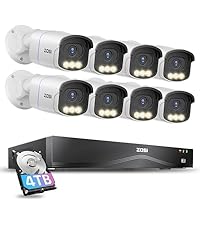
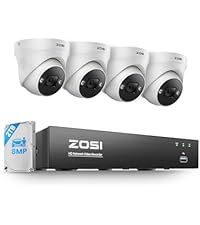
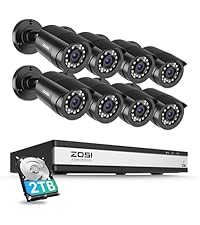
The ZOSI 3K Lite Security Camera System combines 4 high-definition 1080P weatherproof cameras with an 8-channel H.265+ DVR featuring AI human and vehicle detection. Equipped with a 1TB hard drive, it offers ultra-long recording and remote access via a dedicated app, making it a robust, scalable solution for professional-grade home or business surveillance.





| ASIN | B00MP57IOY |
| Antenna Location | Business, Home, Indoor/Outdoor |
| Best Sellers Rank | #9 in Surveillance DVR Kits |
| Brand | ZOSI |
| Built-In Media | 1 x H.265+ 8CH 3K lite DVR with 1TB Security Grade Hard Drive, 2 x power supply and 1 x USB mouse, 4 x BNC Cables and 1 x Ethernet Cable, 4 x Security Cameras and 1 x 1 To 4 Power Splitter, 4 x mounting screw bags and 1 x quick start guide |
| Camera Description | Front, Rear |
| Color | Wired-4Cam |
| Compatible Devices | Laptops, Smartphones, TV, Tablets |
| Connectivity Technology | Wired |
| Customer Reviews | 4.2 out of 5 stars 8,924 Reviews |
| Frame Rate | 30 FPS |
| Global Trade Identification Number | 00698545075425 |
| Hardware Interface | HDMI, VGA |
| Item Dimensions | 15 x 11 x 7 inches |
| Item Height | 7 inches |
| Item Type Name | Security Camera System |
| Lens Type | Fixed |
| Manufacturer | ZOSI |
| Manufacturer Warranty Description | One Years quality warranty |
| Memory Storage Capacity | 1 TB |
| Model Number | 8WN-211B4S-10-US |
| Night Vision | Night Color |
| Night Vision Range | 80 Feet |
| Number of Channels | 8 |
| Operating System | Linux-Based Or Proprietary |
| Optical Sensor Technology | CCD |
| Other Special Features of the Product | App Control, Automatic Overwrite, Human Detection, Image Sensor, Motion Sensor |
| Power Source | Corded Electric |
| Recording Mode | Event, Schedule |
| Signal Format | Analog |
| Total Usb Ports | 2 |
| UPC | 698545075425 |
| Unit Count | 1.0 Count |
| Video Capture Resolution | 1080p |
| Video Input | BNC |
| Viewing Angle | 90 Degrees |
W**R
Read this review before you purchase, install, or return this system. .. Seriously, this will help.
So, this is one of many systems I have bought and installed in my many years . What you will receive is a high quality DVR, with four very good cameras and the hardware to get it all connected. The DVR performs excellently. My old ZModo system looked great on the camera, but playback was one third the resolution, this one looks live during playback. This all sounds great, but there is always a downside, the downside in this case is the total lack of instructions. there are steps that are totally left out of the leaflet of instructions, and intuitive this is NOT. You will NEED and Android/Apple phone to install it. Set up the cameras, connect, and power up the DVR. Before you can do ANYTHING, you need the username and password. Again, no instructions on this step. Download an app called SPD to your Android/Apple phone. Open the app, scan the the qr code on the DVR, or the QR code that appears on the monitors screen when you try to access the DVR Menu. This will give you the "Super Password" for the DVR. Leave the username as "admin" and the password is LONG and case sensitive. You can now set the DVR up... Again, nowhere is this evident. (You may think ... ahah!, go to the website!... Well, it does explain the steps, but the "translation" is not at all clear. (It also has apps that are outdated that will confuse the situation, "Zosi view" for example, is obsolete, but still posted). Now, you should have access to the DVR menu, so you can connect it to your router. There will be a screen on the website to set the online viewer up. there will be an area that shows you to activate the "cloud viewer" ... my software didn't even have this, but when I checked my internet connection, it came back as ok, and it was good. Do NOT install the "Zosi View" app as previously mentioned, install "Zosi Smart" app and check the website to figure out how to get the QR code displayed on your monitor from your DVR to again use the SPD app to scan the info for another super password. log in and you should be good to export the DVR info to the phone app. To view the DVR on a Windows PC was tricky, (The software had to be downloaded in three parts, so you know you have downloaded the correct "Active" link) ... but the good part is the IT support staff @ Zosi is dedicated, professional, and willing to help. There is NO phone support, use Facebook messenger. This worked out great for me, but be aware, in the US, in the Northeast, their hours of operation translates to 9:00PM to 5:00AM. If you download the "Teamviewer" program, (It's got a free version) The good old team @ Zosi can remotely operate your PC and set it up for you. These instructions will make your installation MUCH easier and less frustrating, enabling you to purchase this system, install most of it, and enjoy the fact that it operates very nicely, especially for the price. Again, Kudos to the support team @ Zosi, they save the the day! :D This system is very nice, I DO recommend it, use Facebook messenger for help, be patient, and you will end up with a very nice system, at a great price point.
P**S
Great product
Awesome camera system easy to use dvr and playback all around great purchase definately would recommend
D**G
Working Fine Now
8/25/17 update: system working as advertised since firmware update. 6/30/17 update: updated firmware. Process went smoothly. Still testing and monitoring. Other than these system bugs, cameras are clear, good night vision, remote viewing using Zosi View provides clear monitoring, Today I took system offline until sheetrockers are done and I can rerun the camera wires. Another bump on the rating. 6/26/17 update: I have to bump the rating up to two stars. Got a prompt response from Zosi support. Have not tried their suggestion to check if firmware was up to date yet, But I will advise when I do and change rating as applicable. 6/25/17 Several issues with my DVR. Have been using only for about four days. Each time, I had to unplug and restart to return it to proper function. 1. Remote viewing via Zosi View has stopped two times. Each time, system appeared otherwise to be functioning normally from connected monitor. Just could not get cameras to connect on my home computer (wired connection), my IPhone, nor my Android devices. 2. Mouse stopped working frequently. No way to change settings or control DVR when this happens. 3. When attempting to play back, a couple of times it showed a message that there was nothing saved on disk. Also, I have been unable to get the email function to work. I set it up with the same email and smtp as I use successfully on another manufacturers device. When I click the test email button, I get a message that it could not connect to email. Positives: 1. For 720p, the cameras look pretty good. 2. Low price
C**Y
After giving it a full year
I decided to write a review. For the money I think this product is well worth it. I had one bad camera and they replaced it quickly without a problem. It does require some maneuvering around in the attic to get set up. I also bought some extra cables that were a bit longer. Don't skimp on the quality of these or your video quality will degrade. We have had temps -29F here in Minnesota and these cameras have worked great without incident. No fogging, condensation or failure of any kind. Wi-fi set up could be a bit easier. Not quite plug-and-play but don't need to take any classes either. Pictures show night and day images from my phone that I can see from anywhere verizon has a tower. Again, great for the money, would buy again. Additional 5/7/19: I see reviews commenting on the motion detection. Very sensitive and yet also works intermittently. Set it to record all the time NOT after detecting motion. The If you have the 1 TB DVR it will record several days in a loop. Additional: After using these for a few years I thought I would add to this review. A year or so into this my cameras stopped working after a bit of trial and error I found the power cord to the cameras was faulty. Found a "not quite matching" cord laying around the house and that seemed to work just fine. fast forward another year or so and night vision on all cameras and the camera with the longest video cable stopped working. Thought maybe 2 years was as long as night vision lights worked as none were coming on. Bought 4 new cameras and those ir night vision lights did work either. Contacted Zosi and they do try to help. You need to wait a day or so due to night/day differences. Something also lost in translation. They had no more help than the 7 fixes on their website and owners manual. Got to thinking about that cord I replaced about a year earlier. Bought a new OEM cord and the system again works great. If you have night vision or long cable issues check you cameras power supply. Quite happy with this product. Does everything it's suppose to (except motion detection, just turn it off). The hard drive occasionally makes noise if it restarts like when the power goes out but at this price can have a spare. NO MONTHLY OR YEARLY SUBSCRIPTION. YAY!
K**E
camera
Great item. Easy to fit.
J**H
slow to record motion.
Update 2/11/2022 I have area lighting that's a street lamp on a utility pole in the front yard. I had been thinking that the night vision was pretty decent and could see my front yard in night vision pretty well... but then the area light burned out and night vision really only lit about half a car length from the camera leaving the rest of the yard in darkness. If want to be able to see anything in night vision past that distance you will need some kind of area lights in your yard. ---------------------------- I bought this in April 2019. First it's very slow to start recording when it detects activity. People can and has walk across the field of view and be out of view by the time it starts recording. Even cars has driven down my 100 foot driveway right up to the garage and turn and drive to my front door and by the time the recording would start the car is out of view. Only way around this has been to have it record constantly 24/7 then can "rewind" to find what set off the alarms. I have a camera in the porch and on the garage which faces down the driveway... even an Amazon delivery guy has walked down my drive and walked onto the front porch and walked back out to the street and out of view and then the recording started... that's how slow it is to start recording. It's why I now leave it recording 24/7. 2nd, It's wired network connection constantly drops and I have never been able to get the WiFi to work at all. The wired connection goes to my WiFi router which I can then use my smart phone to see the camera views. But to get this to work even for a few hours I have to power off the Zosi box and remove the power cord, wait a minute and power back up. But since I don't often use it this way I can put up with it. But it would be nice to be able to monitor the camera views when I'm expecting someone to be able to see if it's actually someone or a shadow from a cloud passing by without having to go through this power cycle routine every time. OK I know this is weird but I didn't build my house.. the front door is actually the door to the garage, there isn't a front door to the house so anyone knocking I would never hear it. The Zosi alarm is my "door bell" and it would be nice to not have cloud's shadows setting off the alarm. 3rd, people can walk through the camera view and never set off an alarm, but cloud shadows always sets it off. 4th, the connectors for the camera on the back are loosely attached, when trying to connect a camera the connectors wants to rotate, so connecting a camera can be difficult. 5th, the three USB connectors, 2 in back and 1 in front... The front one is common to one of the rear ones, so can't use all three USBs at one time. I had a USB mouse connected to one of the rear ones and when I connected a USB drive to the front USB neither would work, moving the Mouse to the other rear USB fixed that. So really only 2 USB connectors. If you are concerned about security just think about how slow it is to record... someone could walk up to your house, bash down your door and murder you in your sleep (although the door bashing should have woke you up) and by the time it starts to record they would be down the street out of view. So if you do use this always keep it in continuous record 24/7 otherwise all you will see on the recordings is nothing. Would I buy this again? NO! But it was the cheapest set up and all I could afford.
D**E
Worked mostly well, until it didn't
It seemed to do an alright job. Good picture quality during the day. I had the cameras installed inside pointing through a window so the night time quality wasn't great but it wasn't bad (IR glare through the window, if you really want night vision don't install them inside). I could never get the remote access to work, never was able to get the DVR to connect to the internet. Tried to forward ports etc but I am not super savy with that. The instructions are not very clear but that was to be expected when being translated from another language. General installing is easy, just screw the cameras where you want them, run the cable, plug them into the DVR and you're good to go. They sell extra cables if you need to run longer distances, which you probably will need to. But again I could never get the remote access to work. I just had them recording 24/7 so I didn't use the motion sense at all. The user interface is a bit clunky running through the menu but it isn't the worst out there and you can go through it fairly easy once you get the hang of it. Going through the recordings is also a bit clunky but you get the hang of it after a bit. My only issues were with the remote access never working, other than that I didn't have any complaints until about a year and half in. I don't know if the motherboard failed or the HDD but it no longer functions. There is a very loud audible high pitched tone coming from he DVR. I opened it up and the sound is coming from a piece on the motherboard. Not sure what it is that is wrong but I assume that is a chime to let you know something failed. Hopefully I just got a bad DVR that can be replaced. The cameras seem to be good quality.
N**N
Good system, but the software set up requires registration, a bit annoying
Not a bad system, Video quality is good, system is easy to set up, basically it's plug and play. However, getting the system set up on your phone requires registration using Zosi Smart. For whatever reason 'Zosi View' does not work and there seems to be no explanation as to why it does not work. So if you're setting this system up on your family devices, be prepared to use your registration info on all devices. As for the cable lengths, not bad for my use, I can't speak for anyone else.
ترست بايلوت
منذ شهر
منذ 5 أيام